
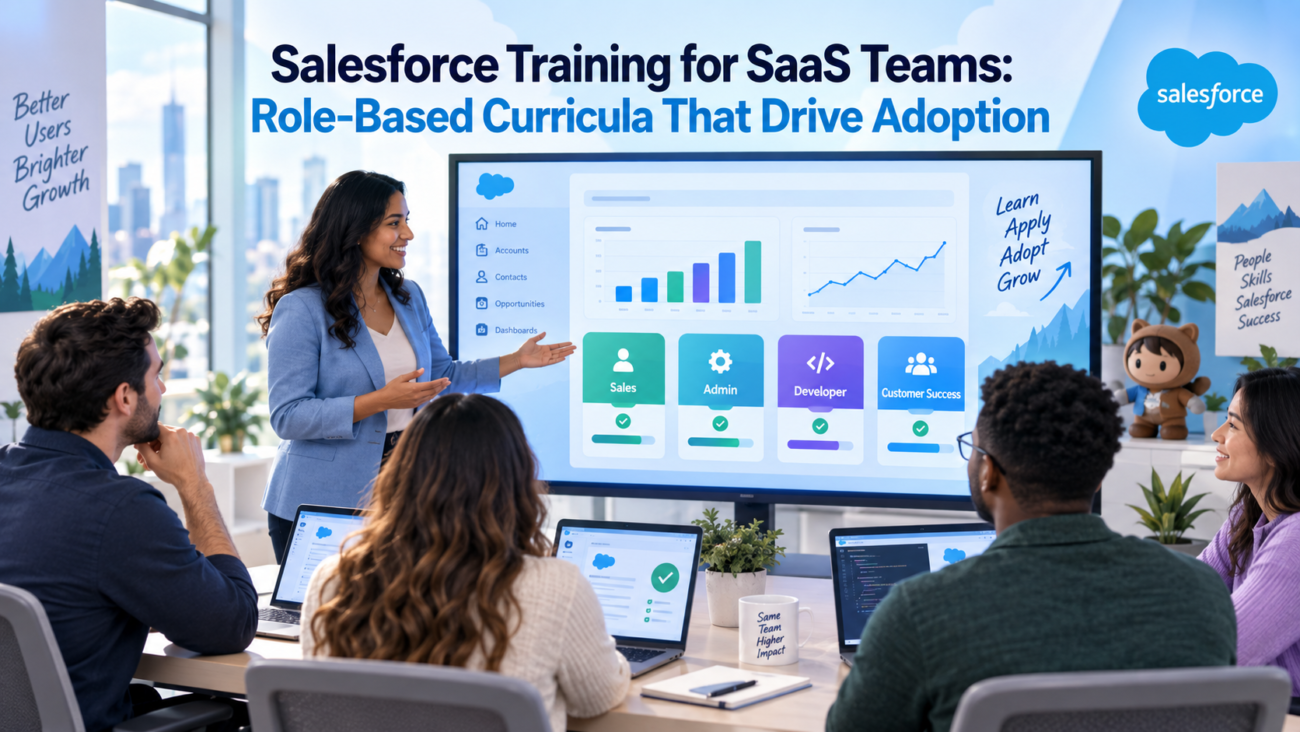
Salesforce can sit at the center of a SaaS revenue process, but each team uses it differently. An SDR may spend most of the day qualifying leads and recording outreach, while an account executive works with opportunities, next steps, and forecasts. Customer success may depend on account history and renewal information, while RevOps watches process rules and reporting across the revenue cycle.
Giving every user the same training creates a mismatch between the lesson and the job. People may understand where objects, tabs, and reports are located while remaining unsure about the actions they’re expected to take inside the company’s process. Salesforce training for SaaS teams works better when learning follows the work each role owns and explains how that work affects the next person in the customer lifecycle.
HyphenX applies this approach through its Salesforce Adoption & User Enablement service, which covers role-based learning, onboarding, user guidance, and adoption reviews. A useful program should teach the company’s own workflows and operating rules, then check adoption through record quality and process use.
TL;DR
Salesforce training for SaaS teams should reflect how each role uses the CRM during normal work. SDRs need lead and activity workflows, account executives need opportunity and forecast discipline, customer success teams need account and renewal processes, and RevOps needs clear business rules and reporting logic.
A strong Salesforce training plan combines a small shared foundation with role-specific scenarios. Role-based Salesforce training gives each group enough practice to complete its own work correctly. Salesforce user training should continue after go-live because processes change, new employees join, and responsibilities move between teams. Salesforce user adoption should be measured through real work in the system, including record quality, process use, and handoff quality.
Why Salesforce training breaks down in SaaS teams
SaaS companies often connect several functions through 1 customer lifecycle. Marketing may create or qualify demand before sales begins active work. Sales moves the opportunity toward close, and customer success takes over after the deal. RevOps may sit across these stages and depend on consistent record handling so reports and forecasts reflect what’s happening.
Generic user training often misses these differences because it starts with the platform instead of the job. A broad session may explain tabs, objects, reports, and dashboards, but those features only become useful when users understand how the company expects them to be used. An SDR can know where the Lead object is and still be unsure when a lead should change status or what information an AE needs before accepting the handoff.
Salesforce’s CRM adoption guidance recommends considering the needs of different user groups when preparing people to use a CRM. That principle matters in SaaS because 1 system can support very different work across revenue and customer teams.
Weak training can also reduce trust after launch. If users don’t know when a field should change, management may see stale pipeline information and ask for separate spreadsheets. HyphenX discusses this issue in its article on improving Salesforce ROI through better user adoption, where daily use and record quality are tied to the value teams receive from Salesforce.
Handoffs make the issue more visible. An AE who closes an opportunity without recording customer commitments can leave customer success with an incomplete starting point. A CSM who keeps renewal risks in personal notes can leave RevOps and leadership without a current view of expected revenue.
Salesforce training for SaaS teams should treat these handoffs as part of the curriculum. Users need to know which information they own, when another team begins relying on it, and what a usable handoff looks like.
What role-based Salesforce training means
Role-based Salesforce training organizes learning around the work users perform instead of every Salesforce feature they can access. A training group may be based on job function, permission level, or ownership of a workflow. People who do meaningfully different work shouldn’t receive identical training simply because they all use Salesforce.
Salesforce recommends a similar approach in its Trailhead guidance on how to develop a Salesforce training plan. Training design begins with the audience and the processes each group performs. Those processes can then become realistic scenarios.
A role-based curriculum can still include a common foundation. Most users need basic knowledge of navigation, record ownership, search, and help resources. That shared portion should stay short. The curriculum can then move into the scenarios users repeat during normal work.
An SDR track may focus on lead qualification and activity capture. An AE track can focus on opportunity stages and forecast updates. Customer success may need account context and renewal work, while managers need to inspect the same information through reports.
Previous Salesforce experience should affect depth. A rep with 5 years of Salesforce experience may know how to edit an opportunity but still needs to learn the company’s stage rules, required fields, approvals, and reporting expectations. Training should teach that local operating model as well as the interface.
Build the curriculum around the SaaS operating model
A strong Salesforce training plan starts with the customer lifecycle instead of the Salesforce menu. Map the path from lead qualification through opportunity management, close, onboarding, renewal, and expansion where those stages apply. Link each stage to the team that owns it and the Salesforce records that carry the work forward.
HyphenX’s Salesforce consulting services focus on aligning Salesforce work with the way a business operates. The same principle gives training a clearer structure because users can see how their daily work appears inside Salesforce.
A basic curriculum map can look like this:
| Lifecycle point | Primary role | Salesforce work to teach | Downstream dependency |
| Lead qualification | SDR or BDR | Lead status, activity capture, qualification fields, conversion | AE receives usable context |
| Opportunity progress | Account executive | Stage rules, close date, amount, next step, stakeholder details | Manager sees current pipeline |
| Deal handoff | AE and CSM | Closed-won checks, commitments, account context, handoff tasks | CSM receives agreed information |
| Customer management | CSM or support | Account updates, customer activity, cases, risks | Renewal work uses current context |
| Renewal and expansion | CSM, AE, RevOps | Renewal records, expansion signals, forecast inputs | Leadership sees expected revenue |
| Process governance | RevOps and admin | Field rules, automation, reporting, permissions | Users follow the agreed process |
This map should reflect the live architecture. Some companies manage support and renewals in Salesforce, while others use connected systems. The plan should teach the process users actually follow. It should also control scope so each role learns the depth its work requires.
Role-based curricula for core SaaS teams
Salesforce training for SaaS teams should reflect the current Salesforce org, even when a role model provides the starting point. Permission sets, field names, connected systems, and internal terminology can change what each person needs to learn.
HyphenX includes guided training and user preparation within its Salesforce implementation services. Training matters because adoption problems often appear when a technically finished implementation reaches users who haven’t practiced the new process.
SDR and BDR curriculum
SDR and BDR training should follow the qualification process from assignment through handoff. Reps need to know how the company expects a prospect to move through Salesforce and what information must exist before sales accepts the record.
If the company uses the Lead object, learners should understand how leads enter their queue, how ownership works, and which records need attention. The lesson should define each status, the fields used for qualification, and the conditions for conversion or disqualification.
Activity handling deserves equal attention. Reps should know which calls, emails, meetings, and notes belong in Salesforce, and which facts belong in structured fields. Practice should cover the normal qualification path and exceptions such as duplicates, unqualified prospects, or leads tied to existing accounts. The final exercise should continue into the AE handoff.
Salesforce user adoption for this group can be checked through current lead statuses, completion of required qualification fields, correct disposition reasons, and the quality of handoffs.
Account executive curriculum
Account executive training should teach sellers how Salesforce represents the current state of a deal. Opportunity fields need to connect with real sales decisions so a rep knows when a record should change and what evidence supports that change.
Opportunity stages need more than definitions. Each stage should have entry or exit criteria tied to the company’s sales process. Reps should know what must be true before an opportunity advances and what to do when new evidence no longer supports the current stage.
Practice should develop over time. Start with a newly qualified opportunity, then add new information that changes the deal. Ask the learner to update Salesforce and explain each material change. The curriculum should also cover closed-won handoff requirements and agreed closed-lost reasons.
AE training should prepare sellers to keep the opportunity current. Adoption can then be reviewed through stage quality, close-date maintenance, forecast use, and whether the next action remains current.
Sales manager curriculum
Sales manager training should be built around the management questions Salesforce is expected to answer. Managers need to inspect pipeline information, find weak records, and coach sellers from the information maintained in Salesforce.
Start with the team’s actual review cadence. If managers run weekly pipeline meetings, training should reproduce that meeting inside Salesforce. Managers should know how to inspect changed or slipped deals, review the period pipeline, and trace forecast issues back to the underlying opportunity.
Manager behavior affects Salesforce user adoption because sellers watch what leadership uses. When managers run reviews from Salesforce and ask sellers to correct records there, the expected working method stays clear.
Customer success and support curriculum
Customer success and support may touch the same account while following different processes. Their learning paths should be separate when their responsibilities differ.
| Customer success curriculum | Support curriculum |
| Sales-to-CS handoff and account context | Case intake and ownership |
| Customer contacts and stakeholder changes | Queue handling where used |
| Onboarding or success activity held in Salesforce | Case status and priority rules |
| Commitments made during the sales process | Escalation procedures |
| Renewal dates and ownership where applicable | Customer history and related records |
| Risk information recorded in Salesforce | Case notes and closure requirements |
Customer success training should begin when the customer becomes the team’s responsibility. Learners need to know where sales handoff information lives, which commitments require follow-up, and which fields customer success owns. If renewal or risk information is maintained in Salesforce, the curriculum should define who updates it and what each value means.
A useful exercise can start with an incomplete handoff. Ask the learner to identify missing information and record the next customer action. Support training should follow the case process where Salesforce case management is used, including ownership, status, priority, queues, and escalation rules where they apply.
Salesforce training for SaaS teams also needs to define the boundary between Salesforce and other customer systems. Users should know which information must return to Salesforce so account history and renewal work don’t depend on private notes.
RevOps curriculum
RevOps training should focus on how the revenue process is represented inside Salesforce. The role needs enough system knowledge to trace a business rule from user action to report output and determine where a problem begins.
Start with lifecycle definitions. RevOps should understand what the company means by a lead, qualified prospect, opportunity, customer, renewal, and other stages used in its revenue model. Map those definitions to the objects, fields, statuses, and ownership rules that represent them.
Field meaning matters because reporting errors often begin before anyone opens a report. RevOps should know who owns important fields, when those values should change, and which reports depend on them.
The curriculum should also cover reporting logic. When a number changes unexpectedly, RevOps should be able to trace it through report filters and record values before deciding whether the problem comes from user behavior or system configuration.
Salesforce admin curriculum
Salesforce admin training should prepare the admin to run the live org after implementation or a major change. Platform knowledge matters, but the curriculum also needs to explain the business processes behind the configuration.
User access is a key operating area. Admins need to understand how the company handles users, permission sets, record access, queues, and related controls. They should know how to solve an access problem without granting broader rights simply because it’s faster.
Automation needs similar context. If the org relies on Flow, the admin should know which flows affect important processes, what triggers them, and which records they change. The lesson should cover permissions that affect execution and the effect of execution context where relevant.
The admin curriculum should cover the org’s main objects, important fields, validation rules, automation, user access, recurring reports, data procedures, support triage, sandbox use, release review, and escalation ownership.
Support scenarios matter because the same symptom can have different causes. The learner should diagnose an access, record, or reporting problem before changing configuration. Release readiness should also be recurring work so relevant Salesforce changes are tested before they reach production. The handover should finish by defining which changes the internal team owns and which require approval or outside help.
Executive curriculum
Executive training should be short and focused on the management questions Salesforce is expected to answer. Leaders need to understand the agreed dashboards, the meaning of important measures, and how far they can trust the information shown.
Start with a real management question rather than general navigation. Leaders should be able to find the relevant measure, inspect the underlying report when needed, and know who owns each important reporting definition.
How to build a Salesforce training plan by role
A Salesforce training plan should begin with an audience map that lists each meaningful user group and the work it performs in Salesforce. Record which objects the group owns, which decisions it makes, and which other role depends on the result.
Job titles shouldn’t be the only factor. Two account managers may need different training if one owns renewals while the other focuses on customer relationships. Similar differences can exist between a technical Salesforce admin and a business administrator who mainly manages users and reports.
Next, define scenarios instead of feature lists. “Create an opportunity” describes an action. “Create a qualified opportunity that meets the company’s reporting and stage rules” describes the work result the learner must produce.
A curriculum card can capture the main design decisions:
| Curriculum field | What to define |
| Audience | Role or user group |
| Job outcome | Work the user must complete |
| Salesforce records | Objects, fields, reports, or queues involved |
| Business rules | Required steps, definitions, and exceptions |
| Practice case | Realistic example from daily work |
| Success check | Evidence that the user can complete the task |
| Support path | Where the user goes when help is needed |
The Salesforce training plan can then separate common knowledge from role work. Shared material can cover navigation, search, record ownership, and basic help resources. Most of the session should move quickly into realistic scenarios.
Salesforce training for SaaS teams should also use the language employees already hear inside the business. If the company calls a sales stage “Technical Validation,” use that phrase and explain the conditions behind it.
Define expected behavior before training starts. If the SDR curriculum is meant to improve qualification completeness, decide what complete qualification means and how it will be checked. That connects Salesforce user training with a visible work result.
Choose training formats that match the task
Salesforce training for SaaS teams should use a format that matches the task. A live session is useful when learners need context and guided discussion. A sandbox gives users a place to practice without affecting live records. Short reference pages or in-app guidance can support tasks users need to recall later.
Salesforce’s Trailhead guidance on promoting feature adoption with in-app guidance explains how prompts and walkthroughs can help users inside the flow of work. This can work well for small changes or reminders because the information appears near the action.
A practical format map can look like this:
| Training need | Suitable format |
| New role onboarding | Guided session with practice |
| New field or small screen change | In-app prompt or reference guide |
| Multi-step sales process | Scenario workshop |
| Manager reporting | Dashboard walkthrough using real questions |
| Admin handover | Working session with maintained documentation |
| Repeated support question | Short recording or reference page |
| Major workflow change | Role session followed by later reinforcement |
Users should be able to return to learning material after training because infrequent tasks are easy to forget. The format should also reflect risk. A simple report filter may need only a short guide, while a workflow that affects revenue reporting or customer ownership deserves guided practice. Role-based Salesforce training works best when every format teaches the same business rule.
Sequence training before, during, and after go-live
Training shouldn’t begin only when the final system is ready. Curriculum design depends on decisions made earlier in the project, including process ownership and system behavior. Waiting until the final days before launch can turn training into a rushed explanation of screens.
HyphenX discusses user preparation in its guide to Salesforce implementation team hours by role. Business owners need time to confirm process rules, while super users need time to test realistic scenarios before those scenarios become learning material.
A practical sequence is:
- During discovery: Identify user groups, process owners, current workarounds, and likely adoption issues.
- During design: Define role scenarios, business rules, handoffs, and required fields.
- During build: Prepare learning material and keep it aligned with system changes.
- During UAT: Ask super users to test realistic tasks and flag unclear steps.
- Before launch: Train users in role groups and provide supporting material.
- At launch: Make the support route clear and resolve common questions quickly.
- After launch: Review usage and record quality, then revise training where gaps remain.
Salesforce training for SaaS teams also needs an onboarding version for future employees. It can reuse the same role scenarios while removing project-specific material. Super users can help test examples and surface recurring questions, while RevOps or admins retain process ownership.
Use documentation and in-app help for reinforcement
Salesforce training for SaaS teams needs supporting material that remains useful after the session. Employees should have a current place to check stage definitions, field rules, handoff expectations, and uncommon processes.
HyphenX’s guide to Salesforce implementation documentation and handover discusses role-based operating guidance as part of handover. That principle applies directly to training because process maps and user guides should describe the same rules users see in production.
In-app help can support smaller reminders, while a contextual link can point to fuller guidance when needed. Salesforce also recommends continued support in its guidance on how to encourage and support Salesforce users. Repeated questions may expose unclear training or a confusing process.
Salesforce user training content needs a named owner because the system changes after launch. If an opportunity stage changes or a new approval rule appears, the related learning material should change with it.
Measure Salesforce user adoption by role
Salesforce user adoption should be measured against the behavior each curriculum was designed to create. Login activity shows that users enter Salesforce, but it doesn’t prove that they perform the expected work after signing in.
Salesforce’s guidance on how to measure Salesforce usage and adoption includes record creation, record updates, activities, opportunity use, login patterns, and data quality. SaaS teams can connect these signals with the work expected from each role.
A role-based scorecard can look like this:
| Role | Behavior to watch | Possible measure |
| SDR or BDR | Keep lead work current | Lead status freshness and qualification completeness |
| AE | Maintain accurate pipeline | Stage quality, close dates, and current next steps |
| Sales manager | Manage from Salesforce | Use of agreed pipeline reports and dashboards |
| CSM or support | Maintain customer context | Case updates, customer tasks, and risk information |
| RevOps | Protect process quality | Missing fields, duplicate patterns, and exception volume |
| Admin | Support stable system use | Repeat support issues and unresolved access problems |
| Executive | Use agreed business reporting | Regular use of defined management dashboards |
Salesforce’s Lightning Usage App documentation describes usage information such as active users and frequently visited pages. Those measures can add context, but they should be read with role behavior because high activity doesn’t always mean the process is being followed correctly.
Salesforce training for SaaS teams should define adoption differently for each audience. Good SDR adoption may mean qualification information is complete before conversion. Good AE adoption may mean stages and next steps remain current. A manager may show adoption by using agreed Salesforce reports during pipeline reviews.
Keep the measurement cycle simple. Define the expected behavior before training, review what happens afterward, and investigate the workflow or user group when the result is weak.
Fix weak adoption after training
Weak adoption doesn’t always mean users need another full training session. The issue may come from the process, the system, or the way managers reinforce the workflow. Start with 1 role and 1 workflow. Compare the expected behavior with what users actually do in Salesforce.
Common causes include:
- Knowledge gap: The user doesn’t know the correct step or business rule.
- Recall gap: The user learned the process but can’t remember an infrequent task.
- Process gap: The business rule is unclear or teams follow different versions.
- System gap: The Salesforce workflow makes the task harder than expected.
- Management gap: Managers reinforce a different process outside Salesforce.
- Ownership gap: No clear owner maintains the training or related process.
The response should match the cause. A knowledge gap may need a short role lesson. A recall gap may be better handled with an in-app prompt or reference guide. An unclear business process needs a decision before more training is added. A system gap may require admin work rather than another explanation.
Management gaps need close attention because users follow the behavior leaders reinforce during normal work. If sellers are told to update Salesforce but pipeline meetings still run from a private spreadsheet, the spreadsheet becomes the working source. Fixing adoption then requires a change in management practice alongside Salesforce user training.
Role-based Salesforce training makes these problems easier to isolate. If sales adoption is healthy while customer success adoption is weak, the team can review the CSM workflow instead of reopening the entire curriculum.
The team should also check whether the original process still makes sense. Resistance can point to an outdated workflow, duplicate field, or step with no clear owner. Work that no longer has a clear purpose should be reviewed before users are asked to learn it again.
Keep the curriculum current as the SaaS business changes
SaaS processes continue changing after Salesforce goes live. A new product can change qualification rules, while pricing changes may affect opportunity steps or approvals. Ownership can also move between teams as the company grows.
Maintenance should therefore be part of the training program. When a Salesforce change is approved, the owner should check whether it affects user steps, field meaning, handoffs, reports, or support material.
HyphenX’s Salesforce Support Services cover ongoing administration, issue handling, maintenance, and user support after implementation. Salesforce user training needs similar ownership because users continue learning as the org changes.
A training-content register can record the curriculum item, affected role, owner, related process, and last review date. New roles may need separate learning paths when their Salesforce work differs enough to justify separate maintenance. Salesforce training for SaaS teams should stay close to the current org structure and business process.
Conclusion
Salesforce training for SaaS teams works best when users learn the system through the work they’re expected to perform. SDRs need qualification workflows. Account executives need clear pipeline rules. Customer success needs reliable handoffs, while RevOps needs enough context to govern process and reporting. Admins and leaders need separate learning paths because their responsibilities are different.
A strong training plan begins with roles and real scenarios. Role-based Salesforce training then gives each group enough depth to perform its own work without filling sessions with unrelated features.
Salesforce user adoption should be checked through process behavior and record quality after training. When usage remains weak, teams should identify whether the cause sits in knowledge, process, system design, management behavior, or ownership before deciding what to change.
Salesforce user training also needs regular maintenance because business processes and Salesforce configurations continue changing. Learning material should change with the system so new hires and existing users receive the same current guidance.
FAQs
What is Salesforce training for SaaS teams?
Salesforce training for SaaS teams is a learning program built around how revenue and customer teams use Salesforce during normal work. It can include different paths for SDRs, AEs, customer success, RevOps, managers, admins, and executives. The exact curriculum should reflect the company’s Salesforce configuration and the processes users are expected to follow.
Why is role-based Salesforce training better than general training?
Role-based Salesforce training keeps the lesson close to the tasks a user performs. An SDR may need lead qualification practice, while an AE needs opportunity management and a CSM needs customer handoff guidance. Separate paths reduce unrelated material and give each group more time to practice the work it owns.
What should a Salesforce training plan include?
A Salesforce training plan should identify user groups and define the scenarios each group needs to perform in Salesforce. It should document the related business rules, records, practice cases, and success checks. The plan should also state how adoption will be reviewed and who will maintain the learning material after launch.
How should Salesforce user adoption be measured?
Salesforce user adoption should be measured through behaviors that matter to each role. SDR teams may be checked through qualification completeness, while AEs may be reviewed through opportunity quality. Managers can be assessed through use of agreed reports. Usage measures add context, but they should be read with process quality and user feedback.
How often should Salesforce user training be updated?
Salesforce user training should be reviewed whenever a process, field, automation, report, role, or connected system changes the way users work. Teams should also update learning material when repeated support questions show that existing guidance is unclear. A named owner should keep training aligned with the live org.
Should sales managers receive Salesforce training?
Sales managers need training because they use Salesforce differently from individual sellers. Their curriculum should focus on pipeline inspection, reporting, forecast inputs, and the behavior they need to reinforce during team reviews. Manager participation matters because reps notice whether leadership uses Salesforce during normal sales management.
Can in-app guidance replace live Salesforce training?
In-app guidance works well for short reminders and simple tasks because it appears while the user is working. More involved business processes still need enough explanation and practice before users handle them alone. The training method should match the task and the cost of getting that task wrong.
What should RevOps learn during Salesforce training?
RevOps should understand lifecycle rules and field definitions that affect reporting. The curriculum should also cover ownership, process quality, connected systems, and how user behavior changes the numbers leadership sees. RevOps should be able to trace a reporting issue back to the process or system rule that created it.
What should new SaaS employees learn first in Salesforce?
New employees should learn the Salesforce tasks connected to their jobs before spending time on features they’ll rarely use. Shared basics such as navigation and record ownership can come first. Role scenarios should follow quickly so learners spend most of their time on the work they’ll repeat after onboarding.
How can a SaaS team tell whether weak adoption is a training problem?
Compare the expected process with what users actually do before deciding that training is the cause. If users don’t know the rule, the curriculum may need more explanation. If they understand the rule but avoid the workflow, the issue may sit in system design, management behavior, or the process itself.
