
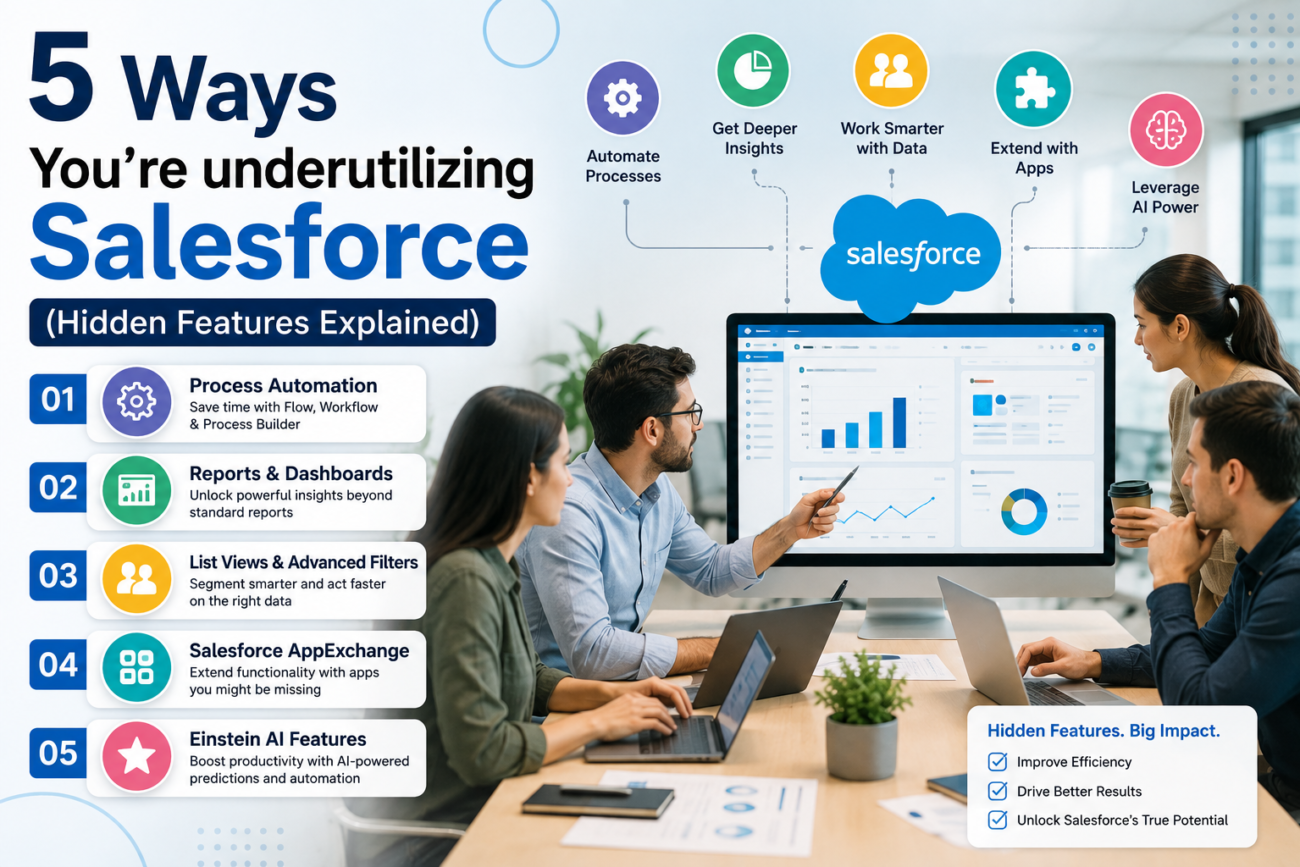
Salesforce can sit at the center of sales, service, reporting, and customer operations, yet many companies still use it as a place to store contacts and update deals. That gap is easy to miss because the CRM can look busy even when most of the real work happens in spreadsheets, email threads, personal reminders, or separate systems. Underutilizing Salesforce often means the company already has useful platform capabilities but has not configured them around the way people work. The result is more manual effort and weaker data inside a system the business is already paying for.
This problem is also why Salesforce hidden features deserve more attention than novelty lists usually give them. The useful ones are rarely secret. They are tools such as Flow, Pipeline Inspection, duplicate management, permission set groups, and in-app guidance that teams have never configured well. Some capabilities also depend on edition, licenses, or add-ons, so any feature description should name the current edition and license requirements. Salesforce itself documents several Flow types, including record-triggered flows, scheduled flows, screen flows, approval processes, and orchestration options.
The business issue is larger than unused buttons. Salesforce Automation may still be absent from repeat tasks. Forecast reviews may rely on exports instead of current pipeline signals. Duplicate records may weaken reports. Users may avoid fields because page design and guidance do not match their daily work. Connections to finance, marketing, or operations platforms may also be missing. This is where Salesforce consulting services become relevant because the work shifts from learning features to reviewing the complete org. A useful starting point is a structured review of configuration, data quality, automation, integrations, and adoption through Salesforce consulting services, which HyphenX describes as part of its existing-org assessment process.
TL;DR
underutilizing Salesforce means paying for a CRM that still leaves important work outside the CRM. The clearest signs are manual record updates, missed follow-ups, spreadsheet-based pipeline reviews, duplicate records, complicated access management, weak user adoption, and business systems that do not share data with Salesforce. These problems can appear even in an org that has been live for years because implementation is only the first stage of getting value from the platform.
The 5 largest opportunities are: using Flow for deeper Salesforce automation, using Sales Engagement and activity capture to reduce manual seller work, using Pipeline Inspection and opportunity scoring for stronger deal reviews, using Salesforce’s data and adoption controls more fully, and connecting Salesforce with other systems and newer AI capabilities. Each one solves a real operating problem, which is what separates these from a list of shortcuts.
A sound Salesforce optimization plan should also check edition and licensing before recommending a feature. Sales Engagement, for example, is included with some Salesforce editions and sold as an added product with others. Salesforce’s Sales Engagement cadence considerations state that cadences can support leads, contacts, and person accounts, and can contain up to 100 steps. A business that wants similar guided outreach should first confirm what it already owns, what needs another license, and whether the team will actually use the process.
For companies that already know manual work is slowing Salesforce down, Salesforce workflow automation services provide a relevant example of how business processes can be mapped before Flow, approvals, scheduled actions, or other automation is introduced. The goal should be to remove repeated work without creating a maze of automation that no one can support later.
What underutilizing Salesforce really looks like
underutilizing Salesforce is easier to spot by looking at work that still happens around the CRM. Sales reps may log calls only before a manager asks for a report. Leads may sit unassigned until someone notices them. Pricing exceptions may move through long email chains. Customer information may be copied from one system to another. Forecast meetings may begin with exported spreadsheets because leaders do not trust what the CRM shows. These are signs that the company uses Salesforce, but its processes have not been built deeply enough into the platform.
Enabling every available feature rarely solves the problem, and more configuration can make the org harder to use when no business reason sits behind it. The better approach is to identify repeated work, missing information, weak reporting, adoption problems, and disconnected processes first. These features become useful once the team knows which gap it wants to close. This is also why implementation reviews often lead to Salesforce customization services when standard layouts or processes no longer fit how users work. Custom fields, page layouts, record types, automation, and interfaces should solve a defined problem rather than make the org look more advanced.
| Sign of underuse | What may be happening | Area to inspect |
|---|---|---|
| Reps enter the same data many times | Manual process remains | Flow |
| Follow-ups are missed | Outreach is not structured | Sales Engagement |
| Forecast meetings use spreadsheets | Pipeline signals are not used | Pipeline Inspection |
| CRM contains duplicate contacts | Data controls are weak | Matching and duplicate rules |
| Access changes take too much admin time | Permissions are fragmented | Permission set groups |
| Users skip required processes | Adoption support is weak | In-App Guidance |
| Teams copy data between systems | Salesforce works in isolation | Integration |
This first check should happen before buying another product. Salesforce Consulting Services can help when the business cannot tell whether its problem comes from configuration, user behavior, data, licensing, or architecture. A clear assessment can separate features that are already available from features that require a new product or implementation effort.
How to audit whether your Salesforce org is being fully used
A useful audit starts with business processes rather than Setup menus. Choose the processes that matter most, such as lead assignment, opportunity movement, customer onboarding, service escalation, renewals, or approvals. Follow each process from start to finish and note where people leave Salesforce. Every spreadsheet, side conversation, copied field, personal reminder, and manual status update is evidence worth investigating. Underutilizing Salesforce often becomes visible at these handoffs because the CRM stops helping at the exact point where the process gets difficult.
The second part of the audit is evidence from the org itself. Review fields that are rarely completed, automation that no longer fires correctly, pages that have grown too large, reports people no longer trust, duplicate records, old profiles, unused dashboards, integrations with frequent errors, and custom code that duplicates newer platform features. This is the right stage for Salesforce optimization because the aim is to remove friction from what already exists. A full rebuild is often unnecessary. Sometimes a process improves because a screen flow replaces a long form, while another issue is solved by changing permissions or removing obsolete fields.
The audit should also identify which business requirements were never completed during the original rollout. A CRM can be technically live while important use cases remain unfinished. Companies that face this gap may need Salesforce implementation services to revisit configuration, data structure, security, testing, and user rollout rather than keep adding small fixes to an unstable foundation. A review should end with a short priority list based on business impact, effort, licensing needs, and adoption risk.
Salesforce consulting services are most useful at this stage when teams need an outside view of the org. The consultant should be able to explain why a change is needed, which platform capability addresses it, what the license impact is, how users will experience it, and how the company will know the change worked. That keeps the review tied to business outcomes rather than a feature shopping list.
1. You’re still doing manually what Salesforce Flow can handle
The first major sign of underutilizing Salesforce is repeat work that follows clear rules. A rep changes a stage and then manually creates the same follow-up task. A service agent updates a case and sends a standard internal alert. An operations employee checks records every Friday and updates a status field. These are good candidates for Salesforce automation because the logic is known and the action can be tied to a record change, schedule, screen, approval, or another platform event.
Flow is much broader than one type of workflow. Salesforce documents record-triggered flows that run when records change, scheduled flows that run at a set time, screen flows that guide users through steps, autolaunched flows that run in the background, and flow-based approval or orchestration options. That makes Flow useful for both simple field updates and larger processes that move work between people. The important step is choosing the right type of flow for the job instead of building every requirement the same way.
A practical Salesforce automation plan can start with repeat tasks that have high volume and clear rules. Lead assignment is one example. A record-triggered flow can evaluate the lead and assign it based on defined conditions. Renewal reminders can use scheduled logic. Screen flows can guide employees through structured data collection instead of making them search through a large record page. Approval flows can move decisions through a controlled path while keeping the record in Salesforce.
The mistake is automating a broken process. A badly designed approval path stays badly designed when it runs faster. Before building a flow, map the current process and remove steps that do not add value. Decide which exception needs a human decision and which action can run safely in the background. That discipline keeps Salesforce automation readable for admins who will maintain it later.
Flow also needs testing. Record updates can trigger other automation, and complex orgs may already have Apex, managed packages, integrations, or older automation acting on the same objects. Teams should test expected paths and edge cases in a safe environment before deployment. The result should be fewer manual steps and better data, in a process users can still follow when something goes wrong.
2. Your sales team isn’t using engagement and activity tools fully
Another common example of underutilizing Salesforce appears when the CRM knows the opportunity but does not guide the work needed to move it forward. Reps may build their own follow-up systems in calendars and inboxes. Managers may rely on each seller to remember when a prospect needs another call. Sales Engagement cadences are designed for more structured outreach. Salesforce says cadences can guide actions such as calls and emails, while cadence tasks are created and updated automatically for users.
Business use is the right lens here. A cadence can help a new lead receive a defined series of actions without requiring the seller to create each reminder. High-priority accounts can follow a different path. The value comes from consistency and visibility. However, teams should confirm Sales Engagement licensing before planning around it because Salesforce lists different availability across editions and add-ons.
Email and calendar activity is another area that needs a current 2026 view. Einstein Activity Capture has changed. With Sync Email as Salesforce Activity enabled, captured emails can be stored as Salesforce activity records and used in standard reports, workflows, triggers, and APIs. Salesforce is also retiring older Activity 360 reporting tools, so companies that configured Einstein Activity Capture years ago should review the current setup rather than follow an old implementation guide.
This change can make Salesforce automation more useful because activity data becomes available to other platform processes. It can also create new considerations. Salesforce notes that email data stored as Salesforce records uses org data storage, and duplicate activity can occur if users both sync and manually log the same email in certain setups. The right choice depends on the company’s reporting needs, privacy rules, storage plan, and existing email workflow. This is an area where current documentation matters more than a generic recommendation to “turn on EAC.”
When email, calendar, cadence, and CRM tasks work together, sales managers get a clearer view of whether the next action is happening. Reps spend less time rebuilding reminders. Seller judgment still matters, and the avoidable gaps between the CRM record and the work needed to move the buyer forward get smaller.
3. You’re reviewing pipeline with static reports instead of current deal signals
The third form of underutilizing Salesforce appears in pipeline meetings. If every review begins with an exported spreadsheet, the team may be missing tools already built for deal inspection. Salesforce describes Pipeline Inspection as a consolidated view of pipeline metrics, opportunities, week-to-week changes, activity information, and AI-based insights. It can show changes to close dates, amounts, stages, and forecast categories while helping teams find deals that need attention.
Static reports remain useful for many business questions. Pipeline Inspection solves a different problem: seeing what changed inside the active pipeline and deciding where a manager or seller needs to act. That makes it useful for Salesforce optimization when a sales team has plenty of reports but still struggles to understand pipeline movement during weekly reviews.
Einstein Opportunity Scoring adds another signal. Salesforce assigns eligible opportunities a score from 1 to 99 and can show factors that contributed to the score. Einstein Opportunity Scoring builds its scoring model from historical closed opportunities. The score works as an additional signal that helps sellers decide which opportunities deserve attention, well short of a promise that a deal will close.
The business use becomes clearer when both features are considered together. Pipeline Inspection shows how the pipeline is moving. Opportunity Scoring can add a probability-based view of deal strength. A manager can then combine these signals with rep knowledge, rather than working from stage and amount alone. This changes the way the team reviews revenue risk, which is a larger shift than another dashboard.
Availability must still be checked. Opportunity Scoring is available in specific editions and can have different license conditions. Pipeline Inspection also has edition requirements. Teams should verify the current Salesforce documentation before building a process around either capability.
4. You’re ignoring data quality, permissions, and user adoption
The fourth sign of underutilizing Salesforce is an org where the technical system works but users do not trust it. Duplicate leads appear under different owners. Two contacts for the same person carry different information. Users have access they no longer need, while another employee needs an admin every time a new responsibility is added. New processes launch through one training call and then fade because employees forget what changed. These problems reduce the value of every report and automation built on top of the CRM.
Salesforce has native tools that can address part of the data problem. Matching rules define how records are compared, while duplicate rules determine what Salesforce should do when a potential duplicate is found. Salesforce’s guidance on duplicate detection and handling explains that duplicate rules can alert users and can be configured to handle duplicate creation, while duplicate jobs can identify existing records that match. This is especially useful when teams import leads or create records through several channels.
Permissions are another overlooked area. Salesforce recommends permission sets to extend user access without changing the profile, and permission set groups can bundle several permission sets around a job persona or role. Permission set groups also support muting selected permissions when a combined set gives more access than required. For large teams, this can reduce one-off permission assignments and make access design easier to understand.
User adoption needs the same level of attention. In-App Guidance lets admins create prompts and walkthroughs inside Lightning Experience, target them to users, and decide where or when the guidance appears. A prompt can explain a new field where the user actually sees it. A walkthrough can guide a new process without sending the employee to another training document. This is one of the more practical Salesforce hidden features because it places help inside the work.
These tools work alongside good data governance and user training. Duplicate rules need careful criteria. Permission models need review. In-app prompts need useful wording. Together, however, they show why Salesforce optimization is often about trust and ease of use rather than adding another cloud. A CRM that users trust is more likely to collect the data that managers need.
5. Salesforce still operates as an island from the rest of the business
The fifth sign of underutilizing Salesforce is repeated data movement between Salesforce and other business systems. A seller may check an ERP for order status, copy a figure into Salesforce, then email finance for another detail. Marketing may hold engagement data in another platform. Service teams may use a separate application for cases or product records. When these systems do not share the information needed for the process, Salesforce becomes one screen among many instead of the operational customer record.
Integration can address that gap when the business case is clear. APIs and integration tools can connect Salesforce with ERP, finance, marketing, service, or custom applications. The aim is to make the right information available to the right process without repeated manual entry. Salesforce API integration services are one example of how HyphenX approaches data exchange and system connections across enterprise applications.
Integration also expands what Salesforce automation can do. A closed opportunity may need to create work in another system. A payment status may need to appear on an account. A product update may change what a service team sees. These processes require clear ownership, error handling, security, and data mapping before they are automated. A fragile integration can create more manual cleanup than the process it replaced.
Agentforce sits at the more advanced end of this discussion. It can support agent-based actions and AI-assisted work inside Salesforce when the company has suitable use cases, permissions, and reliable data. Adding it because AI is a current priority puts the tool ahead of the use case. Organizations that have stable processes and clear agent use cases can explore Salesforce Agentforce services for design and implementation work, while teams with poor data or broken workflows should fix those foundations first.
This is also where Salesforce hidden features becomes a broader concept. The unused value may come from a standard platform feature, an add-on, a better integration, or a newer AI capability. The common point is that Salesforce has not yet been connected deeply enough to the business process.
7 Salesforce capabilities worth checking before buying another tool
Many companies add third-party software because a business problem appears urgent. Sometimes that is the right decision. In other cases, the existing Salesforce environment already contains a useful capability or has a Salesforce add-on that fits the process better. The table below is a checklist of areas worth reviewing during Salesforce optimization before another product is added. Edition availability varies, so treat each row as a question rather than a confirmed capability.
| Capability | Business problem to check | Important note |
|---|---|---|
| Flow | Repeated manual tasks | Flow type should match the process |
| Sales Engagement cadences | Follow-ups vary by rep | Licensing varies |
| Sync Email as Salesforce Activity | Activity logging is manual | Review current EAC setup |
| Pipeline Inspection | Pipeline reviews rely on exports | Edition support varies |
| Opportunity Scoring | Deals are prioritized only by judgment | Treat score as an extra signal |
| Duplicate and matching rules | CRM contains duplicate records | Rules need careful criteria |
| In-App Guidance | Users forget new processes | Availability varies by edition |
Checking this list can reveal whether the business is underutilizing Salesforce before procurement starts. It can also reveal that the org technically has a feature but has never configured it around a real process. That distinction matters because owning a capability and receiving value from it are different things.
The review should also consider whether custom work added years ago can now be replaced with current Salesforce features. Old automation, custom components, and complex code sometimes remain because no one has revisited the original requirement. Salesforce Consulting Services can be useful when the company needs help deciding what should stay, what should be rebuilt with current platform tools, and what genuinely requires custom development.
How to measure whether Salesforce utilization has improved
A Salesforce optimization project should have measures that go beyond feature activation. Turning on Flow proves nothing about whether work became easier. The same goes for enabling Pipeline Inspection and for building an integration. The metric should come from the problem that justified the change.
For automation, measure how many manual steps were removed and whether processing time changed. For lead routing, track assignment delay and unworked leads. For data quality, monitor duplicate creation and record completeness. For pipeline work, compare forecast preparation time and the number of stale opportunities. For adoption, track usage of the target process and whether users still maintain outside spreadsheets. These measures show whether Salesforce automation changed the work as well as the configuration.
The same rule applies to support after deployment. Salesforce changes through regular releases, business processes change, and integrations need monitoring. Companies that do not have enough internal admin capacity may use Salesforce managed services to handle ongoing administration, release work, enhancements, and system care instead of waiting until the org has accumulated another large backlog.
This measurement stage can also expose new cases of underutilizing Salesforce. A team may find that the feature works but adoption remains low. That points toward page design or training rather than more automation. Another team may find that usage is high but reporting is still unreliable, which points back to data quality. Measuring the result keeps improvement work focused.
When Salesforce optimization needs more than an internal admin
Internal admins usually know the org best, and they also carry the day-to-day request queue. A backlog filled with user access changes, report fixes, new fields, release work, integrations, broken automation, and new project requests can leave little time for a deeper org review. This is when Salesforce consulting services may add value, especially when the problem crosses several parts of the platform.
The need becomes clearer when one change affects architecture, security, automation, data, and adoption at the same time. Replacing old automation can affect integrations. Redesigning the opportunity process may affect forecasting and reports. Changing access rules can affect users across several teams. Salesforce Optimization in these cases needs a roadmap, controlled testing, and change management rather than a series of isolated fixes.
A consulting engagement should still begin with evidence. The team should be able to show which processes are slow, where users leave Salesforce, which reports are unreliable, where automation fails, and which capabilities are not being used. Salesforce Consulting Services should then connect those findings to a clear technical plan.
For organizations that already have Salesforce in production, Salesforce support services can also be relevant when the main need is maintenance, troubleshooting, release preparation, admin help, and incremental improvement rather than a new implementation. The right delivery model depends on whether the company needs a one-time project or ongoing ownership.
7 Salesforce partners to know when reviewing your org
The Salesforce services market includes global systems integrators, regional consultancies, specialists, and firms focused on particular clouds or industries. A company underutilizing Salesforce should compare providers by the problem it needs solved, which company size alone won’t tell you. An enterprise transformation may require a different delivery model from an org health review or automation cleanup.
| Provider | Salesforce focus | Strong fit |
|---|---|---|
| HyphenX Solutions | Consulting, implementation, automation, integration, Agentforce | Existing org improvement and Salesforce projects |
| Accenture | Large Salesforce transformation programs | Global enterprise |
| Deloitte Digital | Salesforce transformation and advisory | Complex enterprise programs |
| Slalom | Salesforce consulting and cloud delivery | Mid-market and enterprise |
| Coastal Cloud | Salesforce consulting and managed work | Multi-cloud Salesforce projects |
| Advayan | Salesforce consulting and implementation | Salesforce transformation projects |
| VALiNTRY360 | Salesforce consulting and managed services | Organizations seeking Salesforce support |
This table is a starting point rather than an objective global ranking. Buyers should confirm current certifications, relevant case work, geographic coverage, industry fit, delivery model, and Salesforce partnership status before making a decision. A company focused on Salesforce hidden features and existing-org improvement should also ask how the provider audits current automation, permissions, data quality, integrations, and user adoption before recommending new licenses.
For the use case in this article, HyphenX Solutions has a strong fit because its current consulting process includes reviewing configuration, data quality, automation, usage patterns, architecture, and integrations in existing environments. The company also works across implementation, customization, automation, and AI-related Salesforce work. That makes it relevant when the problem is getting more value from an org that already exists.
Why HyphenX Solutions fits companies underutilizing Salesforce
HyphenX Solutions approaches underutilizing Salesforce as an org-level problem rather than a single-feature issue. Its published consulting process includes an org health assessment for existing environments, with reviews of configuration, data quality, automation, and usage patterns. It also maps product capabilities to business goals before implementation work begins. That approach matters because a company can waste money by buying another add-on when the real problem is a broken process or poor adoption.
The company also reports more than 250 Salesforce certifications and over 100 global implementations on its consulting page. Those are HyphenX-published figures, so they should be read as company claims rather than independent benchmarks. More important for this topic is the range of work described on the same page: implementation, configuration, integrations, automation, migration, Agentforce, reporting, administration, and custom development.
That range gives Salesforce consulting services a practical role after the initial audit. One customer may need Flow redesigned. Another may need an integration. Another may need a cleaner permission model or better page layouts. The solution should follow the gap.
Companies pursuing Salesforce optimization should also expect the partner to challenge unnecessary complexity. Good consulting uses the smallest set of changes that solves the process well and can be maintained after launch.
Frequently asked questions
What does underutilizing Salesforce mean?
underutilizing Salesforce means the company owns and uses Salesforce but still leaves useful platform capabilities unused or poorly configured. Common signs include repeated manual entry, missed follow-ups, spreadsheet-based reporting, duplicate records, weak adoption, and disconnected systems. The goal is to identify where the current platform can remove work or improve data before another tool or custom process is added, which rarely means switching on every available feature.
Which Salesforce hidden features should businesses review first?
The most useful Salesforce hidden features depend on the business problem. Flow is worth checking when employees repeat rule-based work. Sales Engagement may help when follow-ups are inconsistent. Pipeline Inspection and opportunity scoring can support deal reviews. Duplicate rules can improve record quality, while In-App Guidance can support adoption. Companies should confirm current edition and license requirements because feature availability varies.
How can Salesforce automation reduce manual work?
Salesforce automation can run actions when records change, on a schedule, through guided screens, or as part of approval and orchestration processes. Typical uses include assigning leads, creating tasks, updating fields, sending alerts, handling approvals, or starting downstream actions. The process should be mapped before automation is built so the company avoids making unnecessary steps run faster.
What is Salesforce optimization?
Salesforce optimization is the process of reviewing an existing org and improving how it supports current business needs. It can cover automation, data quality, page design, permissions, reports, integrations, licensing, user adoption, and technical debt. A useful review starts with problems the business can see and then finds the smallest Salesforce change that addresses each one.
When should a company consider Salesforce consulting services?
Salesforce consulting services are useful when an issue crosses several areas of the platform or when the internal team does not have enough time or specialist knowledge to review the complete org. Typical triggers include failed adoption, unstable automation, integration problems, poor data, large admin backlogs, a move to new Salesforce products, or a need to review whether current licenses are being used well.
Does Salesforce Flow replace custom Apex development?
Flow can handle many processes that once required custom code, and Apex still has its place. The right choice depends on logic, transaction volume, system limits, maintainability, integration requirements, and other automation already in the org. Teams should use standard platform tools where they fit and move to code when the requirement genuinely needs it.
Is Agentforce necessary to get more value from Salesforce?
No. A company can gain significant value by fixing basic process, data, automation, reporting, and adoption problems before adding Agentforce. AI agents make more sense when the underlying data is reliable and the use case is clear. Companies should define the work the agent needs to perform, what information it can access, where human approval is needed, and how success will be measured before implementation.
How often should a Salesforce org be reviewed?
A Salesforce org should be reviewed regularly and after major business or platform changes. There is no single schedule that fits every company. Growing organizations may need frequent reviews because user roles, processes, data volume, and integrations change quickly. The important point is to review the org before technical debt becomes a large project. Release planning can also be a useful time to check older configuration against newer Salesforce capabilities.
