
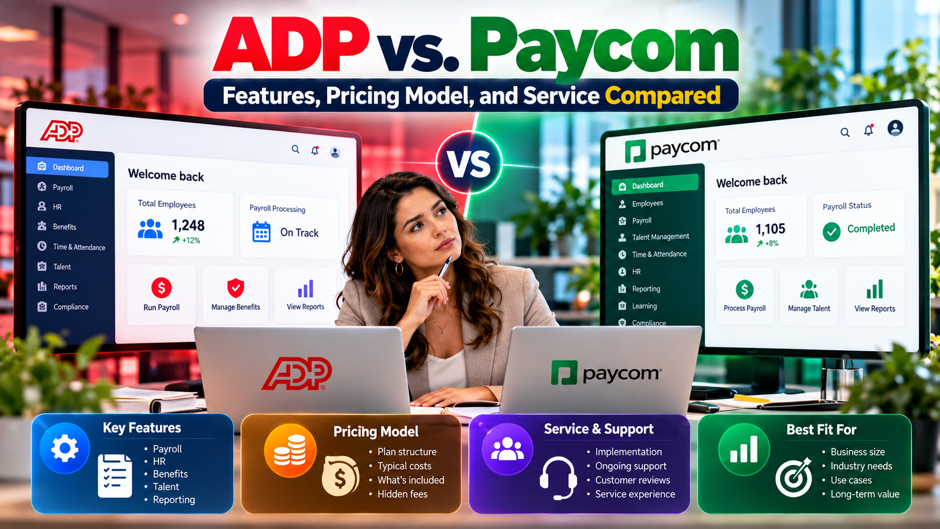
Picture a 180-person company with locations in 4 states that has just outgrown its payroll tool. The finance lead books demos with ADP and Paycom, and both salespeople promise fewer errors and happier employees. Then the quotes arrive in different shapes: a per-paycheck rate from 1 vendor and a layered list of modules from the other. Nobody on the buying team can say which is cheaper, which has better support, or whether the review scores mean anything. This scenario is invented for illustration and doesn’t describe a real company.
This post compares the 2 vendors on features, pricing model and service. It draws on both vendors’ own pages, 3 third-party comparisons, a consultancy’s review and G2’s comparison page, each attributed where it appears. Vendor pages are marketing, the review sites disagree with each other, and several comparisons cover ADP RUN rather than Workforce Now, which I flag wherever it matters. The cost models are invented and recomputed in code. Confirm every price, contract term and feature with the vendors.
TL;DR
- Paycom fits companies that want a single database and few integrations. Its pricing page says quotes scale with employee count and modules, tiered as Core or Complete, and it publishes no amounts. People Managing People credits Paycom with single-database automation and employee self-service but notes limited out-of-the-box integrations. If your stack is simple and U.S. payroll is the center of it, the all-in approach can save reconciliation work.
- ADP fits layered, global or integration-heavy needs. Reviewers credit ADP Workforce Now with a large integration ecosystem, global payroll coverage and compliance depth, and ADP’s page lists Select, Plus and Premium packages for 50 to 999 employees and for 1,000 or more. The tradeoff is a more layered price, with add-ons for time, benefits and advanced HR. Ask for a written breakdown of every line before you compare totals.
- Compare total cost, not the headline rate. An invented 200-employee model using FitSmallBusiness’s $4 to $6 per employee per paycheck gives $20,800 to $31,200 a year biweekly and exactly double that weekly payroll only. OutSail’s full-suite range of $26 to $35 per employee per month implies $62,400 to $84,000. Review scores conflict across pages, so test both vendors in a demo with your own data.
How the vendors position themselves
Paycom sells a single platform. Paycom’s pricing page promises a single price for your entire workforce and says integrations aren’t required because the product runs on a single database. Its modules cover payroll, talent acquisition, time and labor, talent management and HR management, split into Core and Complete tiers. Those are vendor marketing claims, and the page offers no evidence for them. The pitch is fewer systems and a single record per employee, with employees entering much of their own data.
ADP sells a family of products sorted by company size. ADP’s Workforce Now page describes Select, Plus and Premium packages, with Plus adding benefits administration and Premium adding time tracking. It targets companies with 50 to 999 employees, plus a version for 1,000 or more that comes with a dedicated Client Success Executive. It also cites compensation benchmarking drawn from monthly pay data on more than 39 million workers. The page is marketing, and it gives no response time figures and no integration count.
Most comparisons mix ADP products. FitSmallBusiness compares Paycom with ADP RUN, which targets smaller businesses, while People Managing People and G2 compare Paycom with Workforce Now. The prices, integration counts and support hours differ between those products. This post labels which ADP product each figure belongs to, and you should confirm which product a salesperson is quoting before you put any 2 numbers side by side. Keep a note of which product each quote covers.
Who each platform fits by company size
FitSmallBusiness says Paycom suits medium and large businesses, which it puts at 50 or more employees, that want many HR services in a single system. It says ADP RUN suits small and growing businesses, including those expanding internationally or those that may want a professional employer organization later. People Managing People frames it by complexity: Paycom for U.S.-based businesses that want an single platform, and ADP Workforce Now for global, multi-location, enterprise or highly regulated organizations. Those bands are the publisher’s judgment, so check them against your own needs.
The overlap sits in the middle. ADP’s own page targets 50 to 999 employees, and Paycom’s fit starts around 50 on FitSmallBusiness’s view, so a 150-person company can reasonably consider both. At that size the deciding factors are rarely headcount. They’re the number of states and countries you pay people in, the tools payroll has to connect to, how much your managers want to self-serve, and whether your compliance rules are unusual enough to need specialists. Ask both vendors what a typical customer of your size looks like.
Treat the size bands as publishers’ views rather than rules. People Managing People says Paycom’s pricing is generally unsuitable for low-headcount companies, but it gives no threshold, and no vendor publishes a minimum. If you’re under 50 employees, ask both vendors for their minimums in writing and consider a third product aimed at smaller teams. If you’re over 1,000, expect a longer sales process, a custom quote and a named executive contact on either side.
Features side by side
The table below lines up the features that surface in the sources. Many cells rest on vendor marketing or on third-party summaries that disagree, and I note that in the last column. The feature checklist on People Managing People didn’t come through in the text I could read, so I can’t confirm item-by-item coverage from that page. Use the table to build your demo script, not to declare a winner. Add your own rows for anything the sources missed.
| Area | Paycom | ADP Workforce Now | Source and caveat |
| Packaging | Core or Complete tiers by module | Select, Plus and Premium packages | Vendor pages |
| Data model | Single database, built from the ground up | Large integration ecosystem | Paycom page, OutSail, People Managing People |
| Employee-driven payroll | Beti: employees review and approve pay before submission | Self-service portal described as user-friendly | OutSail, People Managing People |
| Time and attendance | Part of the time and labor module | Added by the Premium package | Vendor pages |
| Benefits administration | Part of HR management, including COBRA | Added by the Plus package | Vendor pages |
| Integrations | 40+ per FitSmallBusiness; limited per OutSail | 100+ per FitSmallBusiness (RUN table); large per People Managing People | Counts conflict and cover different ADP products |
| Global payroll | 180+ countries per FitSmallBusiness; native in select countries only per People Managing People | 140+ countries per FitSmallBusiness | Conflict on Paycom |
| Professional employer organization option | None per FitSmallBusiness | Available per FitSmallBusiness (RUN) | Secondary source |
| AI | IWant natural-language queries, AI at no extra cost per Paycom | AI-assisted implementation per ADP | Vendor claims |
What a single database buys you
- Data gets entered a single time. OutSail, a consultancy that runs a vendor-comparison marketplace, says Paycom built its modules on a single database from the ground up, so data entered once flows across payroll, time, benefits and talent. A new hire’s rate, tax setup and benefit elections stay in sync without file transfers. Fewer syncs mean fewer places for a mismatch. It’s an architecture claim, so test it in a demo by hiring a fictional employee and following the record.
- Employees do more of the work. Beti, Paycom’s employee-driven payroll feature, lets employees review and approve their own pay before submission, per OutSail. The review also cites a Forrester study commissioned by Paycom that reports a 90 percent reduction in time spent processing payroll for Beti users. A vendor-commissioned study isn’t independent evidence, so ask for references and measure your own correction counts before and after. Run a pilot with a single pay group first.
- Fewer vendors to manage. A single contract and a single support relationship simplify administration for a small team. The same structure concentrates risk, because an outage, a price increase or a service problem touches everything at once. Ask how the vendor handles a failed pay run and what credit or remediation you’d get, since the answer shows how much of your operation you’re placing in a single basket. Ask for the vendor’s incident history too.
- Rigidity is the price. OutSail says the all-in approach can push buyers to replace tools they already like, and it names third-party integration as Paycom’s most cited weakness, with limited API capabilities. People Managing People agrees that external integrations are limited. If your applicant tracking, benefits carrier or general ledger tool is fixed, confirm the connection works before you sign, and ask who pays when it doesn’t. Weigh that against the time you’d save.
Where a larger integration ecosystem matters
People Managing People credits ADP with a large integration ecosystem and recruiting tools that connect to major job boards, and FitSmallBusiness’s table lists 100+ integrations for ADP RUN against 40+ for Paycom. Those counts are for different products and different dates, so use them as a direction rather than a measurement. ADP’s own Workforce Now page says only that the product works with the tools you already use, and it gives no number. Ask for the connection list in writing.
Integration depth matters more than the count. A connection that pushes a nightly file differs from a connection that syncs in near real time, and a connection that reads data differs from a connection that writes it. Supergood, an API vendor with a commercial interest, reports that ADP’s API Central is a paid add-on with per-client credentialing and restricted write access in some areas. That summary relies on secondary sources, so confirm the terms with ADP before you scope any build. Ask how failed syncs get reported to you.
Make the question concrete. List the 3 or 4 systems your payroll must exchange data with, such as your general ledger, applicant tracking and benefits carrier, and ask each vendor to show that exact connection working, with a reference customer who uses it. A vendor that can demonstrate your stack in a sandbox deserves more weight than a larger count on a marketing page. If a connection requires a paid add-on or a partner, get the price in writing. Request screenshots or a recorded walkthrough of the connection.
How each vendor prices
Paycom quotes per employee, by tier, and bills per paycheck. Paycom’s page says each quote is customized to the functionality a company needs and the number of employees, with a single upfront implementation fee. People Managing People describes a flat per-employee fee for the whole company. OutSail says Paycom bills per paycheck, so weekly payroll costs more than biweekly. FitSmallBusiness describes a custom base fee plus $4 to $6 per employee per paycheck, and says there are no tiers, which conflicts with Paycom’s own Core and Complete structure.
ADP prices in layers. People Managing People says ADP is also per-employee but more layered, with separate charges for tax filing, direct deposit, payroll processing and advanced HR support. For Workforce Now, the page shows a free demo with pricing on request. FitSmallBusiness’s figures for ADP RUN are $40 to $220 or more per pay run in its table and $40 to $75 in its text, plus $3 to $4.50 per employee, with a $200 setup fee often waived. That article contradicts itself, so treat those RUN numbers cautiously.
Neither vendor publishes contract terms. Paycom’s page doesn’t mention contract length, renewal or cancellation. People Managing People advises requesting a written breakdown of add-ons and minimum contract periods from both, and OutSail says multi-year commitments can secure better rates. A better rate in exchange for a longer commitment is a normal trade, but it should be a decision you make with the renewal terms in front of you, including price caps on increases. Ask for sample contract language early so counsel has time.
Published price points and where they conflict
The table gathers every figure I found, with the source and the problem with it. Nothing in the table is a quote. FitSmallBusiness’s article is undated and shows no affiliate disclosure in the text I could read. People Managing People says clicks on its links may earn a commission. OutSail is a consultancy that earns from advising buyers and from its marketplace. Each publisher has an interest, which is a reason to cross-check rather than a reason to dismiss.
| Source | Product | Figure | Caveat |
| FitSmallBusiness | Paycom | Custom base fee plus $4 to $6 per employee per paycheck; setup $500 to $1,200 for 15 to 40 employees | Small-business quotes; says no tiers |
| FitSmallBusiness | ADP RUN | $40 to $220+ per run (table) or $40 to $75 (text), plus $3 to $4.50 per employee; $200 setup often waived | Contradicts itself; RUN, not Workforce Now |
| FitSmallBusiness | ADP RUN, 15 employees | $205 a month weekly, $175 biweekly, $120 monthly | Essential Payroll quote |
| OutSail | Paycom | $26 to $35 per employee per month for the full suite; $12 to $18 payroll only | Estimate from a consultancy |
| OutSail | Paycom | Implementation adds 15% to 30% of first-year software | Estimate |
| Paycom page | Paycom | No prices; Core or Complete; single upfront implementation fee | Vendor marketing |
| ADP and People Managing People | Workforce Now | No prices; free demo, pricing on request | Custom quote |
A 200-employee cost model
This model is invented to show the arithmetic, and it uses the sources’ ranges as inputs. Start with Paycom payroll only, using FitSmallBusiness’s $4 to $6 per employee per paycheck. For 200 employees paid biweekly, which is 26 paychecks a year, that’s $20,800 to $31,200 a year, or about $1,733 to $2,600 a month. Paid weekly, with 52 paychecks, it’s $41,600 to $62,400, exactly double. That doubling is the reason billing frequency belongs in every quote. Change the headcount and pay frequency to match your own company.
Now the full suite. OutSail’s $26 to $35 per employee per month, times 200 employees and 12 months, gives $62,400 to $84,000 a year, which matches the $62,000 to $84,000 OutSail states. Its implementation estimate of 15 to 30 percent of first-year software adds $9,300 to $25,200 if you apply the low rate to the low end and the high rate to the high end. First-year cost then lands between $71,300 and $109,200. Your quote will differ, and so will your add-ons. Replace each rate with your quote as soon as quotes arrive.
I have no verified ADP price for Workforce Now. In earlier research, third-party estimates ran from $27 to $48 per employee per month at ERP Research and $23 to $30 at South, which I haven’t re-verified. At 200 employees those ranges give $64,800 to $115,200 and $55,200 to $72,000 a year. The ranges overlap with Paycom’s full-suite estimate almost entirely, so price alone won’t separate them. Get both quotes in writing, with the same headcount, pay frequency and modules.
Hidden costs and contract questions
- Billing frequency and off-cycle runs. OutSail says Paycom bills per paycheck, and that costs can shift with off-cycle runs. ADP RUN’s quotes in FitSmallBusiness vary by pay frequency too, from $120 a month for monthly payroll to $205 for weekly at 15 employees. Ask each vendor how bonus runs, corrections and final paychecks are billed, and whether a correction run costs the same as a regular cycle. Put the answers in the contract.
- Year-end and add-on modules. FitSmallBusiness says Paycom charges extra for year-end W-2 filing and time and attendance, and that ADP RUN also treats time and attendance as an add-on. People Managing People says ADP charges separately for tax filing and advanced HR support. Request a line-item quote that lists every fee a payroll cycle and a year can trigger, then compare the totals instead of the headline rates. Do this for both vendors.
- Implementation and training. Paycom’s page names a single upfront implementation fee, and OutSail estimates implementation at 15 to 30 percent of first-year software costs. FitSmallBusiness quotes $500 for setup, training and implementation for 15 employees, which is a different scale. Ask what’s included, who does the data conversion, how many training sessions you get and whether a parallel payroll run is part of the price. Treat vague answers as extra cost that will arrive later.
- Term, renewal and price caps. Neither vendor publishes contract length, and OutSail says multi-year commitments can secure better rates. Ask for the initial term, the renewal terms, the notice period for cancellation and a cap on annual increases. Also ask what happens to your data on exit and in what format you’d get it. Confirm each of those answers in writing, and have counsel review the contract. Keep copies of every version.
Service models compared
Paycom assigns a dedicated specialist. Paycom’s page says ongoing support from a dedicated specialist is provided to clients at no cost, and FitSmallBusiness adds live online and phone support Monday through Friday from 8 a.m. to 5 p.m. OutSail presents the specialist as a strength but says many reps are junior, which can limit HR best-practice guidance, that escalation paths can be unclear, and that the first 6 to 12 months can be a learning curve. FitSmallBusiness notes login problems and more support complaints than praise.
ADP segments service by customer size. ADP’s page promises fast answers from client service specialists and AI-assisted implementation, with no response time figures, and a Client Success Executive for 1,000 or more employees. FitSmallBusiness describes RUN support as automated phone 24/7 and live chat Monday through Friday from 7:30 a.m. to 10 p.m. Eastern, with mixed reviews. Hours differ by product, so ask which service tier your contract includes. Ask for it in writing.
Test the service before you sign. Ask each vendor who your named contact will be, how escalation works, which hours you can reach a person and what response times they’ll commit to in writing. Then call 2 references with a similar headcount and ask how long a typical ticket took and whether the same person answered twice. Support quality varies by account team, so references beat ratings. If the vendor won’t provide references, treat that as an answer.
What review sites say and why they disagree
Scores on the review sites don’t agree, even on the same page. The table shows the figures I found, with their sources and caveats. G2’s comparison page lists different numbers in its FAQ than in its main sections, and the main ratings are undated. ADP’s own page cites a combined score that includes incentivized reviews, per the page. The spread across sources runs from 4.1 to 4.7, so choosing on a score would be choosing on which page you happened to open.
| Source | Paycom | ADP product | Caveat |
| G2 comparison, main sections | 4.7 (12,070 reviews) | Workforce Now 4.2 (4,475) | Undated |
| G2 comparison, FAQ (updated Aug 14, 2026) | 4.5 (6,916) | Workforce Now 4.2 (4,321) | Differs from main sections |
| People Managing People (Jun 15, 2026) | 4.3 | Workforce Now 4.1 | Affiliate links |
| FitSmallBusiness (undated) | G2 4.2 (1,100+); Capterra 4.4 (790+) | RUN: G2 4.5 (1,190+); Capterra 4.5 (760+) | RUN, not Workforce Now |
| ADP’s own page | Not applicable | 4.4 (7,228) across Capterra, GetApp and Software Advice | Includes incentivized reviews |
G2’s detailed scores show where the gaps sit, although the scale isn’t stated on the page. Ease of use is 9.5 for Paycom against 8.4 for Workforce Now, and quality of support is 8.5 against 7.9. Ease of setup is nearly even at 7.9 against 7.8, and meeting requirements is close at 8.7 against 8.6. Reviewer populations differ, since the review counts behind each score range from 849 to 9,434, so a gap in ease of use may reflect who responds as much as how the products behave.
Implementation and the first year
OutSail says mid-market implementations typically take 2 to 3 months for Paycom, and ADP describes AI-assisted implementation without giving a timeline. Real timelines depend on data quality, the number of pay groups, how many integrations you need and how fast your team answers questions. A rushed go-live near a quarter end or open enrollment is the most common way to turn a good product into a bad experience. Pick a start date that leaves room for parallel runs. Ask for a dated plan with owners for each task.
Plan the parallel run explicitly. Run the new system alongside the old for at least 1 full cycle, compare every paycheck, and fix variances before the cutover. Check tax setup in every state, benefit deductions, garnishments and accruals. Ask each vendor how many parallel cycles they recommend, who investigates variances and whether that work is part of the implementation fee. If the answer is vague, assume your team will do much of it. Document each variance and the fix.
Expect a learning curve in the first year. OutSail says the first 6 to 12 months with Paycom can feel like a learning curve, and People Managing People notes that ADP’s customization is limited and advanced HR functions need paid add-ons. Neither is a deal breaker. Both are reasons to budget time for training, to document your configuration and to schedule a 90-day review with the vendor to resolve open issues before they harden into workarounds. Assign an internal owner for the vendor relationship.
Which vendor to pick, by scenario
- Pick Paycom when the footprint is simple and the team wants fewer systems. A U.S.-only company with 50 or more employees, a modest list of integrations and an appetite for employee self-service fits the profile both People Managing People and FitSmallBusiness describe. Accept per-paycheck billing and a premium price, per OutSail’s note that Paycom prices 20 to 30 percent above peers like Paylocity and Paycor. Confirm your must-have integrations in the demo.
- Pick ADP when the footprint is complex. Multiple countries, many locations, a specific integration list or a highly regulated workforce point toward ADP in People Managing People’s view. Expect a layered price and a more modular configuration, and plan for add-ons. Ask which package, Select, Plus or Premium, includes the features you need, and which ones require extra fees or partners. Confirm that the product you’re being quoted is Workforce Now rather than RUN.
- Look at a third option when you’re small. People Managing People says Paycom’s pricing is generally unsuitable for low-headcount companies, and ADP’s Workforce Now page begins at 50 employees. Under that, a product built for smaller teams may cost less and fit better. Use the questions in this post with those vendors too, and check whether their support hours and integrations match the way your team works. Ask each of them for a written quote too.
- Run a structured bake-off when the stakes are high. If the contract is large or the migration is risky, ask both vendors to execute the same scripted scenario with your data: a new hire in another state, an off-cycle bonus, a retro pay change and a terminated employee with final pay. Score the results and the answers to your contract questions on a 1 to 5 scale. The vendor who handles your hardest case calmly is usually the safer choice.
How to run the evaluation
Start with requirements, not demos. Write down your states, countries, pay frequencies, headcount, union or special pay rules and the systems payroll must connect to. Rank them as must-have or nice-to-have. Send the same list to both vendors, and ask each to respond in writing. A shared list prevents the common trap of judging a single vendor on its strengths and the other on your gaps. Share the ranked list with the vendors before the first call.
Then script the demo. Give each vendor the same 4 or 5 scenarios and ask them to run those live rather than show slides. Include a case that exercises your main integration, a correction after a payroll cutoff and a report your CFO would request. Take notes in a shared scorecard so that the finance, HR and IT stakeholders rate the same things. Record the demos if the vendor allows, and review them before the vote. Ask each vendor to leave the system open for follow-up questions.
Finish with commercial terms and references. Request a line-item quote with the same headcount, frequency and modules from each vendor, plus the contract term, renewal, cap on increases and exit terms. Call at least 2 references per vendor with a similar size and complexity. Ask what surprised them in the first year and what they’d negotiate differently. Have counsel review the final contract, and set a date to review results at 90 days after go-live. Keep all versions of the quote.
Mistakes buyers make
Comparing the wrong ADP product. Many online comparisons use ADP RUN figures, and a salesperson may quote a different package from the package the demo showed. RUN, Workforce Now and the higher tiers differ in price, support hours and integration counts. Ask each time which product and package a number belongs to, and keep the answer in your notes. A comparison that mixes products produces a confident but meaningless result.
Trusting a single rating. The sources in this post range from 4.1 to 4.7 for the same products, and G2’s own page gives different figures in different sections. Ratings reflect who bothered to review, when, and sometimes whether the vendor invited them to. Use scores to build your question list, then check the answers yourself through references and a scripted demo. A 0.3 gap on a review page rarely predicts your experience. Review dates matter too, since older reviews may describe earlier versions.
Ignoring billing frequency and add-ons. A per-paycheck rate looks small until payroll moves from biweekly to weekly and the bill doubles. Add-ons for time, benefits, year-end filing and advanced HR can turn a modest base rate into a much larger total. Always compare the full annual cost for your pay schedule and module list. If a vendor won’t produce a line-item quote, assume the first invoice will include items you didn’t expect. Do the arithmetic before the contract is signed.
FAQs
Is Paycom cheaper than ADP?
There’s no reliable answer without quotes. Neither vendor publishes prices, and the third-party ranges overlap. OutSail puts Paycom’s full suite at $26 to $35 per employee per month, and earlier third-party estimates I found for ADP ran from $23 to $48, which I haven’t re-verified. FitSmallBusiness’s small-business quotes differ again. Per-paycheck billing makes weekly payroll cost double biweekly at Paycom. Ask both for line-item quotes with the same headcount, frequency and modules. The honest comparison is a line-item quote for the same scope.
How does Paycom pricing work?
Paycom’s page says quotes are customized to the modules and employee count, tiered as Core or Complete, with a single upfront implementation fee and no published amounts. People Managing People describes a flat per-employee fee, OutSail says billing is per paycheck, and FitSmallBusiness describes a base fee plus $4 to $6 per employee per paycheck. Those descriptions overlap but don’t match, so ask for the billing unit, the base fee and every add-on in writing.
How does ADP Workforce Now pricing work?
ADP shows a free demo with pricing on request, and People Managing People describes a per-employee fee with separate charges for tax filing, direct deposit, payroll processing and advanced HR support. ADP’s page lists Select, Plus and Premium packages, where Plus adds benefits administration and Premium adds time tracking. FitSmallBusiness’s numbers cover RUN rather than Workforce Now, so don’t apply them. Request a line-item quote and the contract terms. Ask for the contract terms too.
Which has better customer service?
The sources disagree and none is conclusive. G2’s detailed scores put Paycom’s quality of support at 8.5 against 7.9 for Workforce Now, though the scale isn’t stated. Paycom assigns a dedicated specialist, but OutSail says many reps are junior, and FitSmallBusiness reports more support complaints than praise. ADP segments service by customer size and publishes no response times. Call references with your headcount and ask about escalation. Ask for named contacts too.
Which has more integrations?
ADP is credited with the larger ecosystem. People Managing People calls ADP’s ecosystem large and Paycom’s out-of-the-box integrations limited, and FitSmallBusiness lists 100+ for ADP RUN against 40+ for Paycom. Those counts cover different products, and ADP’s own page gives none. OutSail names third-party integration as Paycom’s most cited weakness. What matters is your exact list, so ask each vendor to demonstrate those connections working. Ask for pricing on any connection that needs an add-on.
Which handles global payroll better?
ADP is the safer reading, but the sources conflict on Paycom. FitSmallBusiness lists global payroll in 180+ countries for Paycom and 140+ for ADP, while People Managing People says Paycom’s payroll is native only in select countries and credits ADP with broad global coverage. ADP’s page mentions serving more than 140 countries site-wide. Ask each vendor which countries run natively, which use partners and who supports them. Get the list in writing.
What’s Beti?
Beti is Paycom’s employee-driven payroll feature. OutSail describes it as automating payroll while letting employees review and approve their own pay before submission, and cites a Forrester study commissioned by Paycom that reports a 90 percent reduction in processing time. A study paid for by the vendor isn’t independent evidence. If employee-driven payroll appeals to you, ask for references and measure your own correction counts during a pilot. Ask what happens when an employee approves a wrong amount.
Which is better for a 100-person company?
Either could work, so decide on complexity rather than headcount. A U.S.-only company that wants a single database and fewer integrations fits the profile People Managing People gives for Paycom. A company with multiple countries, a specific integration list or heavy compliance needs fits ADP’s. Both vendors target mid-sized companies, so run the same scripted demo and compare line-item quotes. Confirm contract terms with each vendor and have counsel review them. Pilot with a single department if the vendor allows it.
