
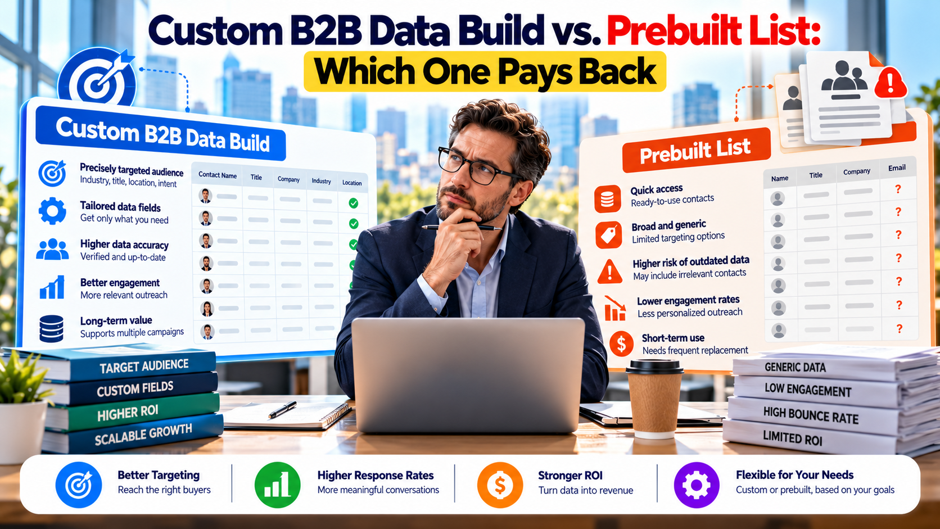
Consider an illustrative revenue operations lead at a company that sells compliance software to mid-size insurers. She has a budget for outbound this quarter and 2 options on the table. A vendor can deliver a prebuilt list of 6,000 contacts tomorrow for a few thousand dollars. A research firm can build a custom list of the same size in 4 weeks for several times the price, with each contact checked against her ideal customer profile. Her CFO asks which option pays back, and she realizes nobody has defined what payback means or what it should be measured against.
This article compares a custom B2B data build with a prebuilt list on cost, speed, accuracy, deliverability, compliance and payback. It draws on articles from Instantly, Zeliq and Spear Marketing Group, plus Sender’s summary of the FTC’s email rules. Most cost and accuracy figures come from vendors and lack sources, so each is attributed and flagged. The payback example is invented. Confirm prices with vendors and legal points with counsel.
TL;DR
- Payback depends on what each list does to your replies and meetings, not on price per contact. A custom build costs more per contact, yet it can win if better targeting raises response enough to cover the gap. In the invented example here, a $15,060 build beats a $3,060 prebuilt list by about $13,510 in gross profit.
- The sourced cost and accuracy figures are weak. Zeliq puts a prebuilt contact at $0.30 to $0.80 at mid-market volume and an in-house build at $0.75 to $1.20, while its own thresholds contradict each other. Instantly claims purchased lists bounce 10% to 20%. Test a sample before you commit.
- Deliverability and compliance rules apply to both. A 2023 article says Google requires spam complaints below 0.3% for bulk senders, and Sender says CAN-SPAM has no business exception. Verify addresses, honor opt-outs and ask counsel to review your plan. Document sources and opt-outs for every contact on either list.
How the 2 approaches compare at a glance
The table defines the 2 options as this article uses them. A prebuilt list is a database export or a purchased file filtered by criteria such as title, industry and company size. A custom build is a list assembled to your ideal customer profile, either by a research service or in-house, with contacts selected and checked account by account. The last column is my judgment rather than sourced data, because the vendor articles describe their own products and don’t compare the 2 cleanly.
| Dimension | Prebuilt list | Custom build | My judgment |
| Time to first send | Minutes to days | Weeks | Prebuilt wins on speed |
| Cost per contact | Lower | Higher | Varies widely by vendor |
| Fit to your profile | Filter-based | Selected account by account | Custom usually fits better |
| Source visibility | Often limited | Usually documented | Ask for details either way |
| Freshness at delivery | Depends on refresh cadence | Depends on build date | Check both with a sample |
| Best use | Broad markets, quick tests | Narrow markets, high-value deals | Depends on deal size |
What “pays back” means
Payback is the time it takes for the extra gross profit from an approach to cover its extra cost. That definition forces 3 choices before you compare anything: what counts as a result, what each result is worth and what you compare against. A result might be a reply, a qualified meeting or a closed deal. A meeting is usually the best measure, because replies include “not interested” and deals take months, which delays the signal.
Value per result matters just as much. A company that sells a $2,000 annual product can’t spend $650 per meeting, whereas a company that sells a $60,000 contract can. Use gross profit per deal rather than revenue, and use your own close rates from past outreach. If you lack history, run a small pilot first. Without these inputs, any claim about which option pays back is a guess, including the claims in vendor articles that promote their own products.
The comparison point matters too. Compare a custom build against the prebuilt alternative you’d otherwise use, not against doing nothing. The difference in cost and the difference in results are what decide the question, which is why this article works through incremental numbers in its example. A custom build that produces many meetings may still lose if the prebuilt list would have produced nearly as many for a fraction of the cost.
What prebuilt lists do well and where they fall short
Speed and breadth are the main strengths. Instantly’s article says a download takes minutes, though cleaning, deduplicating and segmenting adds 1 to 3 days of operations work. Providers also hold hundreds of millions of records by their own claims, so a prebuilt source can cover broad markets quickly. For a test campaign, a seasonal push or a market where you can’t afford a long research cycle, that speed often outweighs a lower hit rate on each contact.
Accuracy claims vary and lack sources. Instantly says purchased lists reportedly bounce 10% to 20%, against a 0.96% industry average for verified lists, and Zeliq says unverified purchased lists bounce 15% to 30%. Neither names a study, and both vendors sell competing products. Treat the range as a warning to verify rather than a measured rate. A small test batch will tell you your own bounce rate, which matters more than any published average.
Source visibility is often limited. Instantly describes prebuilt data as coming from web crawling, data partnerships, community inputs and proprietary algorithms, delivered as static exports, with limited refresh timing and source visibility. It adds that purchased lists typically lack a consent chain tied to the buyer, which creates documentation gaps. That’s a vendor’s claim about its competitors, but the practical point stands: ask any seller where each contact came from and what the terms allow.
Targeting is only as good as the filters. A filter for “VP of compliance at insurers with 500 to 2,000 employees” returns whoever the database tags that way, including people who changed jobs, whose titles were inferred or whose companies fall outside your profile. Zeliq suggests a 100-contact sample check and treats more than 15% title mismatches as a sign of poor freshness, a threshold it doesn’t support with data. Run the sample yourself and set your own tolerance.
What a custom build includes
- A written ideal customer profile. Every build starts with a definition of which accounts qualify, such as industry, size, geography, technology in use and buying triggers. The quality of the profile limits the quality of the list. Spend time with sales and customer success to find what your best customers share. A research service can only select accounts that match the rules you give it, so vague rules produce a vague list.
- Account selection and review. A custom build usually starts with a list of accounts and removes those that don’t fit, based on research rather than database tags. This is the step where custom builds differ most from prebuilt exports. Ask the provider how many accounts it reviews by hand, what evidence it records for each decision and whether you can inspect the reasoning for a sample. Insist on seeing that evidence before you pay.
- Contact research and role mapping. For each account, the provider finds the people who match your target roles, and ideally a second or third contact to support multi-threaded outreach. Ask how it handles accounts with no obvious owner of your problem, and whether it flags uncertain matches. Role mapping takes the most manual effort, which is why it drives much of the cost difference between custom and prebuilt. Press for specifics on that point.
- Verification and documentation. A good build checks each email, records where each contact came from and notes the date of verification. This supports both deliverability and compliance, since you can show what you knew when you sent. Ask for the documentation as part of the deliverable, and check that the contract states how long the provider will correct errors or replace bad contacts after delivery. Keep that file with your campaign records for later audits.
Cost structure: what the sources say
Sourced cost figures are thin, and the vendors contradict themselves. Zeliq puts an in-house build at $0.75 to $1.20 per contact all-in for 1,000 contacts a month with 5 SDRs, including Sales Navigator seats, SDR labor at $30 an hour and verification. It puts a purchase at $0.30 to $0.80 per contact at mid-market volume and $0.05 to $0.10 on enterprise annual commits. It lists vendor pricing of $15,000 to $100,000 or more a year for enterprise and $100 to $2,000 a month for self-serve plans.
Instantly gives a different set of numbers. It says ZoomInfo Professional starts around $14,995 a year for 3 seats, with higher tiers running $24,995 to $39,995 or more, and that verification and a sending tool cost extra, with a single verification service at about $99 a month for 10,000 checks. It describes its own starter stack at about $141 a month. These are vendor claims about competitors and about the vendor’s own products, so check current prices directly before you rely on any of them.
Neither article prices a research-firm custom build, which is the option this article calls custom. I couldn’t find a sourced price range for that service, so the example later uses an invented figure of $2.50 per contact. Ask research firms for quotes based on your profile and volume, and ask what drives the price: number of accounts reviewed, number of contacts per account, depth of research and refresh terms. Compare quotes on cost per verified contact rather than list size.
Don’t forget internal costs. Zeliq’s in-house figure includes SDR labor, and a purchase requires operations time for cleaning, deduplication and segmentation. Instantly estimates 1 to 3 days of that work. Staff time has a real cost even when nobody invoices it, so include it in your comparison. A prebuilt list that looks cheap can cost more once someone spends a week fixing it, and a custom build that looks expensive may save that time.
Cost figures with their limits
The table collects the figures above next to their caveats. None comes from an independent study, and several conflict. Use it to see where the vendors disagree and which questions to put to sellers, not as a price list. All of the figures are from 2026 vendor articles, so prices may have changed, and a quote from a vendor will always beat a blog estimate. Quotes also change often, so date every figure you record.
| Figure | Claim | Source and caveat |
| In-house build | $0.75 to $1.20 per contact all-in | Zeliq; assumes 1,000 contacts a month and 5 SDRs |
| Purchase, mid-market volume | $0.30 to $0.80 per contact | Zeliq; conflicts with other figures in the same article |
| Purchase, enterprise commit | $0.05 to $0.10 per contact | Zeliq; annual commitment required |
| Provider subscription | $15,000 to $100,000 or more a year | Zeliq; enterprise tier |
| Entry tier for a single provider | About $14,995 a year for 3 seats | Instantly; vendor comparing itself with a rival |
| Verification service | About $99 a month for 10,000 checks | Instantly; a single example |
| Refresh of an existing list | $0.05 to $0.30 per contact | Zeliq; unsourced |
Decay and refresh
- Lists lose value over time. Zeliq cites about 2.1% decay a month, or roughly 22.5% a year, attributed to unnamed “industry benchmarks,” and Instantly says contact data decays 22.5% to 70.3% a year without naming a study. The range is wide and unsourced. Compounding 2.1% monthly over 12 months does give about 22.5%, so the arithmetic is consistent. Treat the figure as a planning assumption, and measure your own bounce and reply trends.
- Refresh cadence depends on use. Zeliq recommends refreshing every 3 months for active outbound, every 6 months for nurture and every 12 months for dormant lists, and never keeping a list beyond 18 months. These are the vendor’s recommendations rather than tested standards. A custom build delivers a snapshot too, so the refresh question applies equally. Ask any provider whether refreshes are included, how often they occur and what they cost.
- Refresh cost can be material. Zeliq says refreshing costs $0.05 to $0.30 per contact, or $500 to $3,000 for a 10,000-contact list, without a source. On a 6,000-contact list, that range would be $300 to $1,800 per refresh. If you refresh twice a year, the cost adds up and belongs in your payback model. A provider that includes refresh in its price may beat a cheaper list that charges extra.
- Decay hits both options. A custom list built carefully in January starts aging immediately. The advantage of a custom build is better selection and documentation at delivery, since decay hits it too. If your sales cycle is long, the list will age before it’s fully worked. Plan the sending schedule so the best accounts get contacted soon after delivery, when records are freshest. Sequence your outreach with that timing in mind from the first day.
Deliverability and compliance
Sending rules apply to any list. A December 2023 article by Howard Sewell of Spear Marketing Group, republished on CustomerThink, says Google’s bulk sender rules apply to senders exceeding 5,000 emails a day to Google users, and require authentication with DKIM, SPF and DMARC, unsubscribe by single click honored within 2 days and a spam complaint rate below 0.3%. The author’s agency sells services the article recommends, and the piece is from 2023, so check Google’s and Yahoo’s current documentation before you rely on it.
Purchased lists raise the risk. The same article says the new rules increase the potential risk from purchased lists, though it argues they don’t make such lists irrelevant, and it recommends keeping bulk volume under 5,000 a day and splitting lists into smaller sends. Instantly says purchased lists carry high deliverability risk because of bounces. A custom build with verified addresses reduces the bounce risk, but no list removes complaint risk if the message is irrelevant, so message quality matters for both.
CAN-SPAM covers business email. Sender, an email platform, summarizes the FTC’s CAN-SPAM guide and says there’s no business-to-business exception. Its requirements include accurate headers, non-deceptive subject lines, clear identification of an advertisement, a valid physical address, a working opt-out honored within 10 business days and oversight of anyone who sends for you. I couldn’t open the FTC guide itself, so confirm these points with counsel. Other laws, including state privacy rules and rules for contacts abroad, may apply and I haven’t researched them.
Documentation helps with both. Instantly notes that purchased lists typically lack a consent chain tied to the buyer, and it recommends a documented Legitimate Interest Assessment for lists built in-house, which is a European concept I haven’t researched. Whatever your jurisdiction, keep records of where each contact came from, when it was verified and when any person opted out. A custom build with documentation makes that easier, while a prebuilt export may require you to ask the vendor for details.
Which approach fits which situation
The table maps common situations to the approach that usually fits. It’s my judgment rather than a sourced rule, so test it against your own numbers. The logic is that custom builds earn their higher cost when each contact is valuable and the market is narrow enough to research, while prebuilt lists earn their place when speed and volume matter more. Many teams will land in the middle and use a hybrid.
| Situation | Usually fits | Why (my judgment) |
| High deal value, narrow market of a few thousand accounts | Custom build | Better selection pays for itself on a few deals |
| Low deal value, broad market | Prebuilt list | Cost per contact must stay low |
| Quick test of a new message or segment | Prebuilt list | Speed matters more than precision |
| Account-based program for named accounts | Custom build or hybrid | You need specific people at specific accounts |
| Niche segment with thin database coverage | Custom build | Prebuilt tags may not exist |
| Ongoing high-volume outbound | Prebuilt with strong verification | Volume economics favor it |
Where the break-even sits
Zeliq’s article says building is cheaper up to 500 contacts a month and buying pays off at 1,000 or more, but elsewhere it uses bands of under 200, 200 to 1,000 and over 1,000, and it places the switch at about 500 to 700 contacts a month. The thresholds conflict inside a single vendor article, and they compare an in-house build with a purchase rather than a research-firm build with a prebuilt list. Treat the numbers as directional and recompute them with your own costs and volumes.
A cleaner way to think about it uses payback instead of volume. Estimate the extra cost of the custom option, estimate the extra meetings it should produce and multiply by gross profit per meeting-to-deal conversion. If the extra profit exceeds the extra cost within the period you care about, the custom option pays back. The break-even depends on only a few inputs, and the example later shows how much each input matters, so you can see which assumption to test first.
Volume matters through fixed and variable costs. Research and role mapping have setup effort, so very small custom builds cost more per contact, whereas prebuilt exports have little setup cost at any size. As volume rises, per-contact prices usually fall for both. Zeliq reports enterprise annual commits at $0.05 to $0.10 per contact, far below its other figures. Ask each vendor for tiered pricing, and compare quotes at your actual volume rather than at the volume in a marketing page.
The hybrid approach
- Use prebuilt data for breadth and custom work for priority accounts. Instantly suggests using a data broker only for narrow cases such as hyper-niche segments or short, time-sensitive tests. A mirrored plan for a custom build might reserve it for your top accounts, where each contact matters, and use prebuilt data for the long tail. Define the tiers in advance, with the deal value and fit criteria that move an account from a lower tier to a higher tier.
- Verify everything before it enters a campaign. Instantly advises verifying any broker data before use, and says that if it can’t be verified, you should send from a separate, lower-priority domain with a stricter daily cap. It warns against blending unverified broker data into a verified list, since doing so raises bounce rates across the whole campaign. Follow the same rule for any source, including a custom build, and keep unverified records out of your main sending stream.
- Ask providers for refreshments, samples and credits. Instantly lists questions for any provider: its refresh cadence, a sample to test, a bounce-back credit policy and its contract terms. Add a question about source documentation and about what happens to records you stop using. A provider that welcomes a sample test and puts credit terms in writing signals confidence in its data, while a provider that avoids those requests deserves caution. Keep every answer in writing.
- Assign ownership. Instantly recommends giving list operations, meaning sourcing, verification and hygiene, to a single person in revenue operations, and keeping sequence copy and reply handling with the sales development team. Whatever the structure, name an owner for data quality. Without an owner, list problems become everyone’s problem and nobody’s job, and the payback you measured at the start erodes quietly as records age and duplicates accumulate. Review that owner’s results every quarter with finance.
How to test before you commit
Run a sample test with contacts you know. Give each vendor 50 contacts you can verify, such as customers, partners and past prospects, and ask for their records. Check how many are correct, current and properly tagged. This simple test reveals more than any marketing claim. Repeat it with a second vendor on the same sample, and compare results. A vendor that refuses a sample test is signaling something, and you can decide how much weight to give that signal.
Pilot a small batch. Before buying 6,000 contacts, send a pilot of 300 to 500 from each source, with identical messages, verified addresses and the same sending setup. Track bounces, complaints, replies and meetings by source. A pilot costs little and gives you your own numbers for the payback model. Record the dates, versions and counts, and repeat the test if a result looks dramatic, since small samples produce noisy rates.
Set a payback threshold in advance. Decide how much extra profit the custom option needs to produce, and by when, before you see results. Without a threshold, any outcome can be explained as a success. Write the threshold into the plan, such as payback within 6 months on the extra spend, and review it with finance. Include staff time and tools in the cost side, and use gross profit per deal rather than revenue on the benefit side.
Negotiate terms that protect you. Ask for a refund or replacement for bad addresses above an agreed bounce rate, a defined window for reporting problems and a clear statement of what the data can be used for. Put promises about sourcing and compliance in the contract. Ask counsel to review the terms. Instantly lists a bounce-back credit policy as a question for any provider, and a clear policy is a sign that the seller stands behind its data.
Measuring payback after launch
Track results by source from the first send. Tag each contact with its origin in your CRM, and report bounces, complaints, replies, meetings, opportunities and closed deals by source. Without that tag, you can’t tell which list produced which outcome, and you’ll end up debating opinions. Set up the reporting before the first campaign, since adding tags later means reconstructing history from memory and spreadsheets that rarely match. Plan that reporting before launch day.
Measure leading and lagging indicators together. Bounces and complaints show up in days, replies and meetings in weeks, and closed deals in months. A custom build may look weak in the first 2 weeks and strong at the 6-month mark if its contacts convert at higher rates. Agree in advance on which indicator decides the first review and which decides the final review, so that nobody changes the rules once the early results arrive.
Review the model quarterly. Compare actual cost per qualified meeting for each source with your assumptions, update the decay and reply rate figures and adjust your mix. If prebuilt data produces meetings at an acceptable cost, shift more volume there. If custom data produces much higher close rates, expand it to more accounts. Record each decision and its reason, so that new team members understand why the mix looks the way it does.
An illustrative payback model
An invented company needs 6,000 contacts. The prebuilt option costs $0.50 per contact, or $3,000, plus $0.01 per contact for verification, for $3,060 in total, and 77.5% of contacts are assumed valid at delivery, using the 22.5% decay figure as an assumption. The custom option costs an invented $2.50 per contact plus verification, or $15,060, with 92% assumed valid. Reply rates are assumed at 0.9% for prebuilt and 1.4% for custom, 30% of replies become meetings, 20% of meetings close and each deal yields $12,000 of gross profit. Every input is invented.
| Item (invented) | Prebuilt | Custom |
| Cost | 6,000 × $0.51 = $3,060 | 6,000 × $2.51 = $15,060 |
| Valid contacts | 6,000 × 0.775 = 4,650 | 6,000 × 0.92 = 5,520 |
| Replies | 4,650 × 0.009 = 41.9 | 5,520 × 0.014 = 77.3 |
| Meetings at 30% | 12.6 | 23.2 |
| Deals at 20% | 2.5 | 4.6 |
| Gross profit at $12,000 | About $30,130 | About $55,640 |
| Profit minus cost | About $27,070 | About $40,580 |
| Cost per meeting | About $244 | About $650 |
The custom option costs $12,000 more and returns about $25,510 more gross profit, a net advantage of about $13,510. If deals close evenly over 6 months, the extra spend pays back in about 2.8 months. The result is sensitive to the assumptions: the custom reply rate needs to be at least about 1.06% to break even against the prebuilt option, and the gross profit per deal needs to be at least about $5,645. At a lower deal value or a smaller reply gap, the cheaper list wins.
Mistakes teams make when choosing
- Comparing price per contact rather than cost per meeting. A list that costs 5 times as much per contact can still cost less per qualified meeting, and the reverse can also hold. In the example above, custom costs about $650 per meeting against $244 for prebuilt, yet it still wins on profit, because meetings are worth much more than they cost. Compare incremental profit rather than unit price, and use your own numbers.
- Trusting vendor accuracy claims. Bounce rates of 10% to 30% for purchased lists and decay rates of 22.5% to 70.3% a year come from vendors that sell competing products, with no named studies. They show direction rather than measurement. Test samples, run pilots and track your own results by source. Treat any vendor’s claim about its own data with the same caution you apply to a competitor’s claim about it.
- Ignoring compliance and deliverability. Neither option is exempt from CAN-SPAM, sender rules or complaint thresholds. A cheap list that triggers blocks can cost more than an expensive list that doesn’t, because a damaged sender reputation affects every campaign. Verify addresses, honor opt-outs quickly and keep records of sources. Ask counsel to review your plan, and check Google’s and Yahoo’s current documentation, since the 2023 article may be out of date.
- Skipping the profile work. A custom build is only as good as the ideal customer profile behind it. Teams that rush the definition pay research rates for a vague list, and then blame the provider. Invest time in the profile, validate it against your best customers and share it in writing. A clear profile also improves a prebuilt purchase, because it lets you filter more precisely and judge samples against clear criteria.
FAQs
What’s the difference between a custom B2B data build and a prebuilt list?
A prebuilt list is an export from a provider’s database, filtered by criteria such as title, industry and company size, and delivered quickly. A custom build is assembled to your ideal customer profile, with accounts and contacts selected and checked individually, either by a research service or in-house. Neither source I found prices the research-firm version, so ask for quotes and compare on cost per verified contact. Request quotes from at least 3 providers to compare.
Which option pays back faster?
It depends on deal value, reply rates and the cost gap. A prebuilt list is cheaper and faster to launch, while a custom build may produce more meetings per contact. In this article’s invented example, the custom option’s extra $12,000 pays back in about 2.8 months if deals close evenly over 6 months. Replace the inputs with your own, and run a pilot to measure real reply rates before committing.
How much does a prebuilt list cost?
Zeliq’s 2026 article gives $0.30 to $0.80 per contact at mid-market volume and $0.05 to $0.10 on enterprise annual commits, and Instantly says a single provider’s entry tier starts around $14,995 a year. These are vendor claims, and Zeliq’s figures conflict with each other. Ask providers for current quotes at your volume, and include verification, cleaning and refresh costs in your comparison. Request written quotes and ask what each price includes before you decide.
How accurate are purchased lists?
Instantly says purchased lists reportedly bounce 10% to 20%, and Zeliq says unverified purchased lists bounce 15% to 30%, with neither naming a study. Both sell competing products. Your own results matter most, so give vendors a sample of 50 contacts you know, check the results and send a small verified batch to measure bounces before you buy at scale. A pilot of 300 to 500 contacts per source shows your own rate within weeks.
How fast does B2B data decay?
Zeliq cites about 2.1% a month, or roughly 22.5% a year, from unnamed benchmarks, and Instantly cites a range of 22.5% to 70.3% a year without a source. Treat these as planning assumptions. Plan to refresh active outbound lists about every 3 months, as Zeliq recommends, and verify addresses before every campaign, whichever type of list you use. Measure your own bounce and reply trends each quarter to replace those assumptions with data.
Do Google’s sender rules affect purchased lists?
A December 2023 article says Google’s bulk sender rules apply above 5,000 emails a day and require authentication, single-click unsubscribe and a spam complaint rate below 0.3%, and that they raise the risk of purchased lists. The article is dated and written by an agency with a commercial interest. Check Google’s and Yahoo’s current documentation, and ask your email provider how it monitors complaint rates. Your own email provider can explain how it tracks complaints.
Is a hybrid approach better?
Often, but it depends on your market. Instantly suggests using brokers only for narrow cases such as hyper-niche segments or short tests, verifying any broker data before use and keeping unverified data out of your main sending stream. A common version reserves custom work for priority accounts and uses prebuilt data for the long tail. Define the tiers in advance, and track results by source. Review the split every quarter against your actual results.
What should I put in a contract with a data provider?
Ask counsel to review it, but typical points include a description of how contacts were sourced, refresh terms, a refund or replacement policy for bad addresses above an agreed bounce rate, a window for reporting problems and a statement of permitted uses. Instantly also lists a sample test and a bounce-back credit policy as questions for any provider. Keep written answers with the contract. Counsel can tell you which terms matter most in your jurisdiction.
