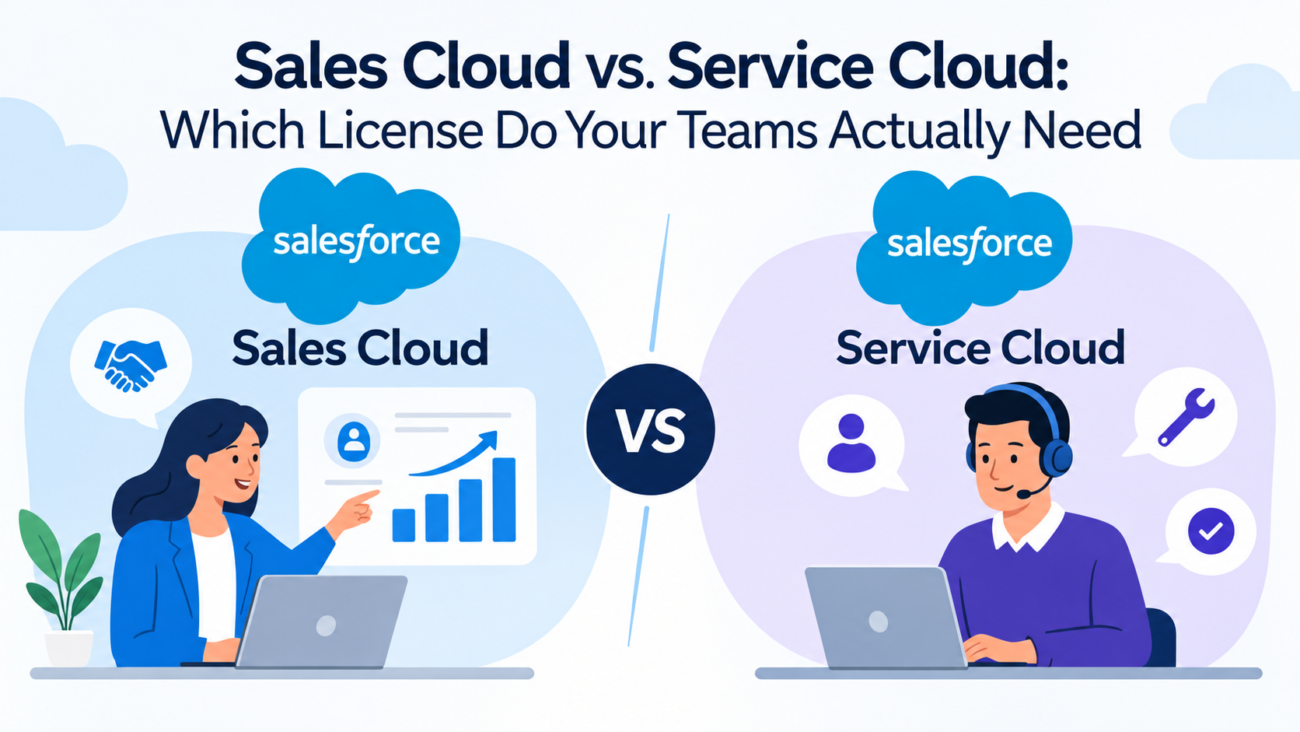
Buying Salesforce seats by department name can lead to a costly mistake. A sales rep may need to view support cases without running a service desk. A support specialist may need to update a renewal opportunity without owning a sales pipeline. Neither job title tells you every feature that person needs. If you need hands-on help, HyphenX offers Salesforce consulting for teams in this position.
The useful question in Sales Cloud vs Service Cloud is what each employee must do each week, which features carry separate entitlements, and how much access is already available in your Salesforce org. Salesforce has also changed its public edition names and added shared features through Salesforce Foundations. Older comparisons that treat every case as Service-only or every opportunity as Sales-only can send buyers in the wrong direction.
This guide looks at the work behind each product, the difference between subscriptions and permissions, current US list pricing, and a practical way to assign seats. The goal is a license plan that lets people finish their work without paying for tools they seldom use.
TL;DR
Choose Sales Cloud when someone’s daily work centers on leads, deals, pipeline reviews, and sales forecasting. Choose Service Cloud when that person owns customer cases, works from a support queue, or needs service routing and response commitments. Both products sit on Salesforce’s core CRM, and some sales and service features can cross over. Salesforce’s current US list prices also use the same broad suite levels, but matching prices don’t mean matching rights. Before buying, check your org’s edition, assigned feature entitlements, existing Salesforce Foundations access, and the tasks each role actually performs. A person who only checks a case or updates an opportunity may already have enough access. A person who runs the related workflow every day may need the product built around it.
What Sales Cloud and Service Cloud Actually Share
Sales Cloud manages the work that happens before and around a sale. Service Cloud manages the work that happens when a customer needs help. They use a common CRM data model. Accounts, contacts, activities, reports, and many standard records can appear across both products. That shared base is why the same company can track a deal and a service issue against the same customer without maintaining separate customer lists.
The Sales Cloud vs Service Cloud split remains clear in specialized work. A sales manager may want forecast categories, opportunity splits, or sales territories. A service manager may need agent presence, routing rules, case milestones, and a record of promised response times. The products organize different kinds of work, even when the same customer data supports both.
Sales and Service use the same underlying Salesforce user license, although product features and permission set licenses still decide which capabilities a person gets. Salesforce’s January 2026 feature and permission guidance explains that distinction and notes substantial overlap in standard CRM functions. Inspect actual rights rather than guessing from the app label.
The practical result is simple for case and sales records. Seeing the Sales app on a screen doesn’t prove that every paid sales feature is available. Opening a case record doesn’t prove someone has the tools to run a contact center. App visibility, object permissions, and purchased entitlements are separate checks. A Service Cloud license review starts with the tasks people perform, then works backward to the access required.
What Sales Cloud Is Built to Handle
Sales Cloud serves people responsible for opportunity management. A rep can qualify a lead, connect it to an account, track calls, move an opportunity through stages, and record the expected close date. Managers can look across those records to judge pipeline coverage and expected bookings. Opportunity management follows an uncertain deal until it closes or falls out.
For the sales side of Sales Cloud vs Service Cloud, records must help someone decide what to do next. Stage definitions, activity history, and next steps should make stalled deals visible. The Salesforceleads and opportunities training explains how leads and opportunities support this path. Basic opportunity access can exist outside a dedicated sales subscription, so the buying question is whether the employee needs the wider opportunity management workflow.
When Advanced Sales Features Matter
Managers with several sellers may need forecast rollups, territory assignment, or a clear view of how a deal is shared. Those needs differ from a customer success employee who adds a small renewal opportunity once a quarter. Sales forecasting affects staffing and revenue plans, so permission to update a deal alone may fall short for managers who own those decisions.
Availability depends on edition and feature rights, so buyers should test the exact forecast views and territory functions they need. Salesforce’s territories and forecasting lessons show the management work that sits above ordinary contact tracking.
A field sales rep, inside seller, account executive, and sales operations analyst may all fit the Sales Cloud family, but they don’t need identical seats. Someone doing basic opportunity management may be served by a lower tier. A manager who needs advanced planning and a working forecast may need higher access. Use the tasks and edition chart to decide each Sales Cloud license by role.
What Service Cloud Is Built to Handle
Service Cloud supports case management for the team responsible for resolving customer questions and problems. Its central record is the case, which can hold the issue, owner, status, priority, customer history, and related communications. This gives an agent a place to work and gives a supervisor a way to see unresolved demand.
Basic case management may be enough for a small team. Once tickets arrive through email, chat, or other channels, the hard part becomes assigning work fairly and getting urgent issues to the right person. Salesforce’scase management lesson describes queues, assignment rules, and escalation rules. These tools matter when the support process has deadlines or handoffs that staff can’t manage reliably by watching an inbox.
Routing and Service Commitments
On the service side of Sales Cloud vs Service Cloud, a larger desk may use Omni-Channel to send work according to an agent’s availability or skills. A supervisor may need to see which queue is building up before customers notice a delay. Knowledge articles can help agents answer common questions, while entitlements and milestones can support contracted service targets where the edition allows them.
Routing work to available agents and applying priority rules helps service teams meet response duties during the workday. The Omni-Channel service lesson describes those controls, which serve a different purpose from sales forecasting.
A support agent’s Service Cloud license should cover more than an account manager needs to review customer cases before a meeting. The first role depends on case management tools. The second may need only case visibility. Treating both people as full service agents can add spend without changing what the account manager can achieve.
Sales Cloud vs Service Cloud: The Functional Difference
The overlap is real, but each product has an area where it does the heavier work. When weighing Sales Cloud vs Service Cloud, compare the daily process that would break if a feature were removed. That is more useful than counting menu items in a demonstration.
| Decision Area | Sales-Centered Work | Service-Centered Work |
| Primary record | Lead and opportunity management | Case and service interaction |
| Daily queue | Deals, follow-ups, and pipeline tasks | Open issues and routed work |
| Manager’s main view | Forecast and deal progress | Backlog and response performance |
| Specialized tools | Forecasting, territories, sales planning | Omni-Channel, Knowledge, entitlements |
| Typical owner | Sales rep or sales manager | Support agent or service supervisor |
| Shared information | Accounts, contacts, activities | Accounts, contacts, activities |
Don’t read this table as an exclusive feature list. Salesforce offers case management in sales-oriented packages and opportunity tracking in service-oriented packages. The edition, org setup, and assigned permissions set the real boundary. For example, an organization may permit support staff to record upsell opportunities without assigning them the same forecasting controls as account executives.
The word console can also cause confusion because a console’s layout and paid feature rights are different. Salesforce’s Lightning console access rules explain that users with Salesforce licenses generally have the Lightning Console User permission, while some Salesforce Platform users need an extra permission set license. Access to a console layout alone doesn’t establish rights to the paid service functions displayed within it.
Run 2 short tests when deciding. Ask whether the person owns the result, then ask which specialized tool is required to reach it. Someone who owns the sales forecast has a stronger Sales Cloud case than someone who views a deal. Someone who owns routing and response targets has a stronger Service Cloud case than someone who views a ticket.
Why Product Subscriptions and User Permissions Are Different
The licensing side of Sales Cloud vs Service Cloud has several layers. A user license sets the broad type of access a named user can hold. A product subscription or feature entitlement determines which purchased capabilities the company can provide. Profiles and permission sets then determine what that person can see or change inside the org. Confusing these layers is a common reason licensing discussions stall.
A standard Salesforce user license provides access to core CRM objects such as opportunities and cases, subject to permissions. Salesforce’s explanation of user license types says a person has 1 user license. By contrast, a lower-cost Salesforce Platform user license doesn’t provide the same standard CRM access. That distinction can matter more than the label on the app a person opens.
What Permission Sets Can and Can’t Fix
Permission sets add supported permissions without changing the user’s profile. They are useful when a person needs to read cases, update selected opportunities, or run particular reports. They can’t create a product entitlement that the organization hasn’t bought. A permission set may fail to assign if the underlying user or permission set license doesn’t support its permissions.
Administrators should check license assignments before spending time adjusting page layouts or sharing rules. Salesforce documents that limit in its permission set assignment guide. The guide is useful when a requested feature appears in Setup but won’t work for a user.
For each role, record 3 things: its user license, the relevant purchased product or permission set license, and the object and system permissions actually granted. The same person may see an opportunity and a case while still lacking an advanced feature used by a specialist. A successful screen test is evidence of access to that tested function, nothing broader.
Which Teams Need Which License
Job titles alone won’t resolve Sales Cloud vs Service Cloud. Specific tasks decide the seat. A customer success team is the clearest example. One member may own renewals and forecast revenue, while another handles onboarding problems through cases. Both report to the same leader. Their license needs can still differ.
| Role | Likely Starting Point | Reason to Recheck |
| Account executive | Sales Cloud | Needs forecast or sales engagement functions |
| Sales development rep | Sales Cloud or suitable suite tier | May only need leads and activities |
| Sales manager | Sales Cloud | Forecast rollups and territory duties |
| Support agent | Service Cloud | Owns cases and queue work |
| Contact center supervisor | Service Cloud | Needs routing and agent workload views |
| Customer success manager | Depends on actual role | May own renewals, cases, or both |
| Finance or leadership viewer | Existing compatible access first | May only need reports or approved record views |
| Salesforce administrator | Depends on assigned duties | Admin rights don’t replace purchased entitlements |
Treat this as a screening table rather than a purchasing instruction. The right Sales Cloud license for an account executive can differ from the one a junior seller needs. The right Service Cloud license for a support agent can differ from one used by a supervisor with routing responsibilities.
Mixed duties deserve particular care. A renewal manager who creates a few cases each month may not require the full service toolset. A technical support agent who flags a possible expansion deal may not require a sales forecasting seat. Decide which system features they must use personally and which work can pass to a teammate.
Before assigning a Sales Cloud license, a good role profile names the weekly tasks, the objects the user changes, the reports the user needs, and the special functions that are truly required. It also records how often the user carries out each task. This can prevent an expensive subscription from being assigned simply because a job description contains the word sales or service.
Can Sales Cloud Users Manage Support Cases?
In Sales Cloud vs Service Cloud, sales users can perform certain case tasks. A seller may use case management to report a customer fault, add a note, or check whether an issue remains open. Standard case access, and some foundational service tools, can be available without buying every sales rep the full contact center package. The precise rights still depend on the edition and org configuration.
Related reading: Salesforce Consulting Partner in Texas: Local vs. Remote Firms Compared
Foundations is not a blanket replacement for paid service editions. It has eligibility rules, setup steps, and feature limits that administrators must review. Salesforce lists several cross-product capabilities in its Foundations feature reference. For eligible orgs, these include service functions such as case handling, Knowledge, and limited routing tools.
Consider a seller who opens a case for a delivery delay. The seller needs to record the issue and see whether support resolved it. That task doesn’t call for agent presence, a managed service queue, or milestone tracking. Giving the seller full support privileges may also create unwanted risk if they can change cases assigned to specialists.
Now consider a salesperson who spends half the day handling priority customer complaints. That role may have become a service role in practice. If the employee must work routed cases, respond within contracted windows, or use advanced knowledge workflows, test a Service Cloud license rather than stretching basic case permissions. Time spent doing the work is a better signal than the employee’s original department.
A Service Cloud license decision comes down to ownership. Viewing a case or passing it to support is light participation. Managing the case through resolution with queue rules and service targets is an operational responsibility. Buy for the second need only when the worker truly has it.
Can Service Cloud Users Work on Sales Opportunities?
In Sales Cloud vs Service Cloud, service teams can often see or update core sales records when their licenses and permissions allow it. A support employee may notice that a customer wants another product and create a handoff for the account manager. A renewal specialist may update the value of a deal as part of a customer conversation. Neither action necessarily requires full access to every sales management feature.
Check whether Foundations is activated in the relevant org before buying a second product for modest crossover work. Salesforce’s Foundations admin article was updated in May 2026 and describes foundational sales tools available to service teams, including opportunities and quoting. It also describes service features that sales teams can use.
The distinction gets sharper with forecasting. Basic opportunity management is different from owning a regional forecast, adjusting territories, and running sales planning. Those functions may need a different edition or entitlement even where a service user already has broad access to core sales records. This is why Sales Cloud license decisions should follow the exact management feature rather than the presence of an Opportunity tab.
A common handoff works as follows. A service agent notices an expansion request and records it against the account. A seller qualifies the request and owns the opportunity. The service agent remains accountable for resolving the case, while opportunity management stays with sales. Each employee has access to the portion of the process they own, with no need to copy the full sales workspace into every service profile.
There are cases where dual responsibility is real. A small company reviewing its Sales Cloud license mix may have account managers who sell, renew contracts, and solve customer issues each day. Test those duties against available product combinations and the quote terms. The answer isn’t necessarily 2 full subscriptions per person, and you shouldn’t assume that 1 automatically includes every specialist feature either.
Salesforce Sales Cloud and Service Cloud Pricing in 2026
In Sales Cloud vs Service Cloud, public prices help set a budget but don’t replace a quote. As of October 2026, Salesforce’s US pages list Starter Suite at $25 per user per month and Pro Suite at $100. The current paid higher tiers are called Core, Advanced, and Max, listed at $195, $395, and $550 per user per month. Those higher tiers are billed annually, while Starter has monthly and annual options.
Free Suite isn’t equivalent to a full paid sales seat, even though the current feature matrix shows an entry for it. The latest Sales Cloud pricing page presents Core, Advanced, and Max rather than the Enterprise and Unlimited names that appear in older comparison posts. Avoid using the Free Suite’s $0 price as the budget for a sales team that needs advanced controls.
| Current US List Tier | Sales Cloud | Service Cloud |
| Starter Suite | $25/user/month | $25/user/month |
| Pro Suite | $100/user/month | $100/user/month |
| Core | $195/user/month | $195/user/month |
| Advanced | $395/user/month | $395/user/month |
| Max | $550/user/month | $550/user/month |
Price equality across columns doesn’t mean identical function rights or contract terms. The Service Cloud pricing page shows the same headline amounts for these tiers but a service-focused feature set. Core centers on case management and the service workspace. Higher tiers add more service and AI functions, with some other channels or services still sold separately.
What Those Prices Mean in a Real Budget
For an illustration, 20 Core users at the listed $195 rate imply $3,900 per month in subscription value and $46,800 over 12 months, before discounts, taxes, add-ons, and services. That is arithmetic based on a public list price, not a Salesforce quote. If only 12 of those employees need Core functions, revisiting the remaining 8 seats can change the budget materially.
Keep old contract names on your audit sheet if that’s what your organization owns. An existing Enterprise or Unlimited contract doesn’t rename itself because a public page changed. Verify renewal rules, migration choices, and features in your account’s order form. The latest web price is a comparison point, while the signed agreement governs actual charges.
Costs That Don’t Appear in the Base Seat Price
The quoted per-user rate can leave out the tools that make a process usable. Sales teams may need advanced engagement functions, special planning products, or extra integration capacity. Service teams may need digital messaging, voice, customer portals, or added contact center tools. Separate costs can also arise from implementation, data work, and ongoing administration.
A Sales Cloud license budget should list the actual add-ons each role will use, rather than apply every add-on to every seller. Salesforce publishes a sales add-on list with separate product pricing and eligible editions. Its current list includes paid AI and sales-related capabilities beyond the base subscription.
Service costs can change even more when a company adds channels. Salesforce’sservice add-on list includes voice and contact center products with separate charges. A Service Cloud license that covers basic case work doesn’t prove that phone routing, a portal, or a chosen messaging channel is included at no charge. The quote needs those lines spelled out.
Build the comparison as a 12-month total: subscribed users multiplied by the contracted seat rate, plus recurring add-ons, one-time setup, migration, and support costs. Then divide by the number of people who truly need each function. This doesn’t make expensive features wrong. It makes the tradeoff visible.
Also ask how seat changes work during the term. Some annual contracts limit when a company can reduce quantities, even if employees leave. Check whether the selected edition requires connected users to move together and whether existing commitments can be credited toward a change. These details can cost more than a small gap in public list prices.
How to Audit Licenses Before You Buy or Renew
A Sales Cloud vs Service Cloud access audit should start with actual work rather than job titles. Give the Salesforce admin and each team lead a short period to document tasks. Look at real workflows, not an imagined future rollout. Employees can describe what they do; administrators can check what the org permits.
A Practical License Review
1. Export active users and assignments. Capture department, license type, profile, relevant permission sets, and product entitlements. Identify inactive or shared-seat assumptions that need correction.
2. Map work by role. Record who creates leads, changes opportunities, owns cases, manages queues, runs forecasts, or supervises response targets.
3. Separate view from edit. Someone who reads a record has a different need from someone who creates or changes it. Check report access on its own.
4. Name paid-only requirements. Flag advanced forecasting, territories, entitlements, channel routing, voice, and other functions that need specific rights.
5. Test in a safe environment. Use sample tasks in a sandbox or suitable test org. Confirm both access and limits for each proposed role.
6. Match the findings to the order form. Compare the test results with existing contracts and the current edition feature matrix before approving new seats.
A case management and licensing audit also needs a way to handle exceptions. Write down which manager approved the role, what prompted the request, and when it should be reviewed again. A temporary project should not silently create a permanent premium seat. When permissions fail in testing, find out whether the cause is sharing, object permission, edition limits, or a missing product entitlement.
For Sales Cloud vs Service Cloud, the strongest audit output is a small role matrix. It shows the required work, current access, missing feature, and proposed subscription for every group. The total seat count follows from those decisions. Finance can then check the cost without having to interpret a long list of Salesforce feature names.
Choosing Licenses for Mixed and Growing Teams
A Sales Cloud vs Service Cloud plan for mixed teams doesn’t need 1 rule for everybody. Mixed teams are where the shared CRM has real value. An account executive responsible for opportunity management can see a support issue before making a renewal promise. A support lead can see a large pending deal without becoming responsible for the sales forecast.
Start with the smallest workable mix. Keep full sales capabilities with people who run the deal process. Keep full service capabilities with employees who own case resolution. Give other teams the core access and reporting rights their contracts support. Then test the small group of users who genuinely carry out both workflows.
Three Situations That Change the Decision
An early-stage company: A small team may handle leads and support requests in the same week. Starter or Pro Suite could meet both basic needs, depending on actual features and limits. A company shouldn’t assume that an enterprise service package is needed because it sends support emails.
A B2B company with a renewal desk: Customer success staff may own commercial renewals while a separate team handles support queues. Some success managers will need meaningful opportunity access, but most may not need queue routing. Divide the group according to ownership of renewals and cases instead of buying the same Sales Cloud license for every employee carrying a customer success title.
A service-heavy business: Agents may routinely notice a sales opportunity while solving a problem. Capturing a lead or creating a handoff can fit the service workflow. If selected agents begin carrying a quota and running a pipeline, revisit their Service Cloud license and added sales needs. That change comes from their responsibilities, not from the mere presence of a deal record.
Growth also affects governance. Build role-based permission sets before adding many seats, and review them when teams change. Keep customer information visible where it helps collaboration, but don’t expose every sales note or service record by default. Shared customer data is useful when access reflects a person’s responsibilities.
The License Decision Comes Down to Work Ownership
The clearest answer to Sales Cloud vs Service Cloud comes from the work an employee owns. Sales Cloud fits people who must manage deals and sales performance. Service Cloud fits people who must resolve cases through a managed support process. Shared CRM features can cover lighter crossover tasks, provided the org and the user’s permissions allow them.
The prices attached to a Sales Cloud license and a Service Cloud license give buyers another reason to check the details. Both products list the same headline monthly rates across the main paid US tiers, but edition features and add-ons differ. A low tier that lacks a required function is no bargain. An expensive tier assigned to someone who only views records wastes budget.
Decide at the role level, test the critical actions, and check the written contract before assigning seats. That approach also leaves room to change access when a role changes. The right license is the one that covers the person’s real work with the fewest unnecessary paid features.
FAQs
Is Sales Cloud Better Than Service Cloud?
Neither product is better for every team. Sales Cloud serves people who manage leads, opportunities, and forecasts. Service Cloud serves employees who resolve cases and manage service queues. The better choice follows the work the person owns and the special functions that work requires.
Can One Employee Use Both Sales Cloud and Service Cloud?
Yes. Both use the Salesforce platform, and a user can have access to sales and service functions if the org has the necessary subscriptions and permissions. Whether extra charges apply depends on the edition, entitlements, and contract. Test the specific functions before purchasing duplicate seats.
Do Sales Cloud and Service Cloud Use Different User Licenses?
Salesforce states that the underlying user license for its Sales and Service products is the same Salesforce license. Product and permission set entitlements still control access to individual features. So the shared user license doesn’t mean every paid capability is included for every employee.
Can a Sales Cloud User Create a Case?
Often, yes, if the edition and assigned permissions allow case creation. Basic case access can be useful for sales reps who report customer problems. Running complex routing, contracted service milestones, or an active support queue may require additional service rights.
Can a Service Cloud User Create Opportunities?
A service user can often work with opportunities where the relevant rights are available. This is useful for renewals and sales handoffs. Advanced forecasting or sales planning may have separate requirements. Check the function rather than assume that opportunity access includes all sales tools.
What Is the Main Difference Between Sales and Service Consoles?
A sales console is arranged around pipeline work, while a service console is arranged around cases and customer interactions. Both are interfaces on Salesforce. Opening a console doesn’t by itself prove that an employee can use every paid function shown inside it.
Is Service Cloud Only for Call Centers?
No. Service Cloud can support email-based teams, internal help desks, and other customer service operations. Phone and contact center features may be separate purchases. The need for case ownership and response management matters more than the channel a team uses.
Is Sales Cloud Only for Large Sales Teams?
No. A small business can use basic lead and opportunity functions through suitable lower-priced suites. Larger sales organizations may need deeper forecasting or territory tools. The size of the team helps with budgeting but doesn’t replace a feature review.
How Much Does Sales Cloud Cost per User in 2026?
Current US public list prices show Starter Suite at $25, Pro Suite at $100, Core at $195, Advanced at $395, and Max at $550 per user per month. Billing terms vary by tier. The final amount depends on the contract, discounts, taxes, and any added products.
How Much Does Service Cloud Cost per User in 2026?
Current US public list prices show the same headline amounts across Starter Suite, Pro Suite, Core, Advanced, and Max. Each service tier includes a different set of functions. Digital channels, voice, or other products may add charges, so a written quote is necessary.
What Happened to Salesforce Enterprise and Unlimited Editions?
Salesforce’s current US public pricing pages feature Core, Advanced, and Max at the higher levels. Older Enterprise and Unlimited names may still appear in existing agreements or older materials. Check the edition on the company’s order form rather than assuming a public naming change altered its subscription.
Can Salesforce Foundations Replace a Service Cloud Subscription?
Foundations can provide selected service tools to eligible Salesforce organizations. It doesn’t promise every paid Service Cloud feature or the same usage limits. Review eligibility, active features, and the work the employee must perform before removing or avoiding a service subscription.
Do Salesforce Platform Licenses Include Sales and Service Objects?
A Salesforce Platform user license doesn’t provide the same standard CRM object access as a full Salesforce user license. Salesforce specifically distinguishes objects such as opportunities and cases. That can rule out a cheaper platform seat for someone whose job depends on those records.
Should Customer Success Managers Get Sales Cloud or Service Cloud?
Choose according to the tasks each manager owns. Someone who carries renewals and updates a pipeline may need sales functions. Someone who works assigned support cases may need service functions. Other employees may only need approved access to records and reports from both areas.
How Often Should a Company Review Salesforce Licenses?
Review assignments before renewal and whenever roles or teams change. An additional check after a major rollout can identify features that employees aren’t using. Tie the review to actual tasks and contract deadlines so unused premium seats don’t remain assigned without a reason.

One thought on “Sales Cloud vs. Service Cloud: Which License Do Your Teams Actually Need”