A nonprofit can spend years getting Salesforce to fit how it raises money. Donation forms feed the right records. Finance receives the reports it needs. Staff know where to find a household’s giving history. Then the question arrives: should the organization move from Nonprofit Success Pack (NPSP) to the newer Nonprofit Cloud? If you need hands-on help, HyphenX offers Salesforce consulting for teams in this position.
The answer depends on what is working today and what the nonprofit needs next. A migration changes how people, gifts, and program activity are stored. That can solve problems in an older setup, but it can also disrupt processes that took years to build. A new product name or a promising feature isn’t enough reason to move.
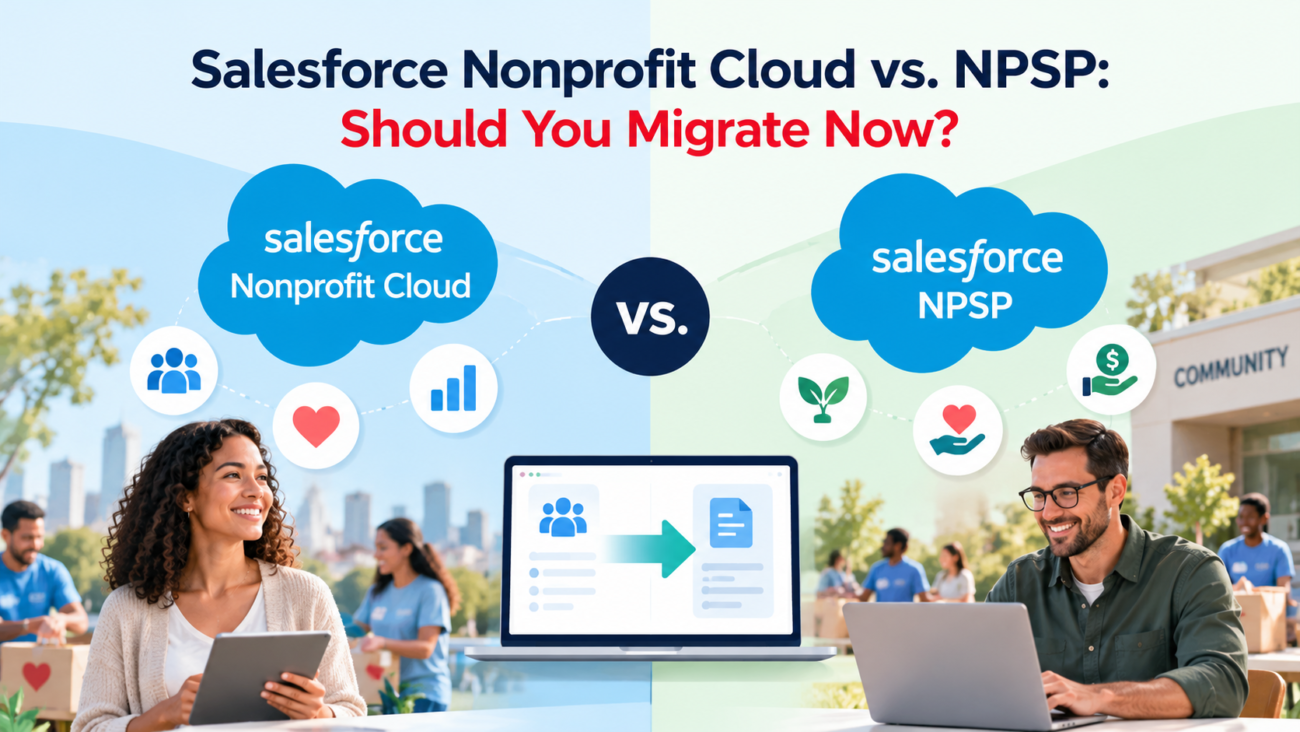
This Salesforce Nonprofit Cloud vs NPSP guide looks at the current product position, the records that change, the cost of rebuilding connected work, and the signs that a migration is worth planning. The aim is to make a decision based on daily operations rather than pressure to adopt a newer system.
TL;DR
Existing NPSP organizations don’t have to migrate simply because Salesforce is investing in Nonprofit Cloud, now called Agentforce Nonprofit. NPSP remains supported, although new nonprofit product development centers on the newer platform. Move when the benefits of its fundraising and program features outweigh the cost of remapping your donor records, rebuilding integrations, retraining staff, and checking historical reports. Stay on NPSP when it serves your fundraising team well and your next few years of work don’t require a new data structure. In either case, start with a documented review of your current system, a priced future-state design, and a small test using real workflows.
What Changed and What Did Not in 2026
The names have changed faster than many organizations’ internal plans. Salesforce now calls its newer integrated nonprofit product Agentforce Nonprofit. Older help pages and active product pages still use Nonprofit Cloud, so teams will encounter both names while researching. In this article, Nonprofit Cloud refers to that newer platform, while NPSP refers to the older managed-package solution.
Salesforce also changed how new organizations begin. Its NPSP learning guide says NPSP stopped being offered as a preconfigured package in new production organizations in December 2025. Existing installations remain a separate matter. Losing the default setup option doesn’t switch off a working donor database or set a mandatory cutover date for its users.
The meaningful distinction is between support and future product work. NPSP still has documentation and an installation path. Salesforce directs new nonprofit implementations toward Agentforce Nonprofit and places new nonprofit features there. That means an NPSP customer should consider future needs, but it shouldn’t treat every new release announcement as an emergency.
This is the first question in a Salesforce Nonprofit Cloud vs NPSP review: are you deciding how to build a new system, or whether to replace one people already rely on? A Nonprofit Cloud vs NPSP comparison needs to separate first-time setup from replacement. New implementations can start with the current platform model. Existing organizations must also account for years of records, reports, custom code, and third-party tools.
Treat NPSP support as an item to check regularly against your contract and Salesforce’s published guidance. Treat any NPSP support claim about a retirement deadline carefully. Don’t substitute a vendor prediction for a dated retirement notice. As of this review in October 2026, the official material reviewed did not state that all existing NPSP organizations must migrate by a specific deadline.
NPSP vs. Nonprofit Cloud: The Core Differences
A Nonprofit Cloud vs NPSP comparison starts with the underlying architecture. The two systems solve many of the same nonprofit problems, but they start from different designs. NPSP is a set of managed packages that adds nonprofit features to standard Salesforce CRM objects. Nonprofit Cloud is an integrated platform product with objects and features created for nonprofit work. Both can manage relationships and fundraising activity. Their underlying records are different enough that switching requires deliberate redesign.
| Decision Area | NPSP | Nonprofit Cloud |
| Main design | Managed packages on Salesforce CRM | Integrated nonprofit platform |
| Individual records | Contacts linked to household accounts | Person Accounts and related party structures |
| Giving records | Opportunities and NPSP donation features | Gift Transactions, Gift Commitments, and related records |
| Program work | Often PMM, case-management packages, or custom objects | Integrated program and case-management features, subject to licenses |
| Existing reports | Built around NPSP records and fields | Must be mapped to the new objects and measures |
| Product direction | Existing product with continued support | Main path for new nonprofit features |
| Migration effort | No change when remaining on NPSP | Data conversion and process rebuilding usually required |
Salesforce’s NPSP installation documentation describes the older product as managed packages installed on eligible Salesforce editions. That difference affects project effort. A custom report that groups Opportunities by campaign won’t automatically become a correct gift report after data is moved to different objects.
A fair comparison includes the complete existing setup. One organization may run NPSP with a basic donation form and standard reports. Another may have a payment gateway, grant tracking, board reporting, a volunteer system, and years of custom Salesforce Flow logic. They have the same base product name but very different migration projects.
For decision-makers, Salesforce Nonprofit Cloud vs NPSP should therefore mean comparing actual work that staff complete each week. The feature list is a starting point. Whether your organization can reproduce its most important tasks is the test that matters.
The Data Model Is the Hardest Part
The Nonprofit Cloud data model is the main reason a move can’t be treated like installing an update. In a Nonprofit Cloud vs NPSP decision, those differences deserve their own review. A data model defines where information lives and how one record connects to another. Change those links and the effects spread into reports, forms, user permissions, and accounting exports.
People, Households, and Organizations
NPSP commonly uses Contacts for people and Household Accounts to group related people. Its relationship and affiliation records add family or organization connections. Salesforce’s NPSP data model materials explain how familiar standard objects are adapted for nonprofit use. Existing administrators usually know these links well, and staff may depend on household mailing rules built around them.
Nonprofit Cloud uses Person Accounts for individual constituents and different relationship structures for households or groups. Migrating a household therefore requires more than changing a record label. A couple with separate giving histories, a shared mailing address, and a child receiving services may need several linked records in the target model. The destination must preserve the meaning of those connections without exposing restricted participant information.
Before mapping records, decide what a household means in your organization. Some teams use it for postal mail. Others use it to measure combined giving. A program team may need to identify caregivers, while a major-gifts officer needs to see related donors. Those are different uses and may call for different relationships in the new design.
Donations, Pledges, and Recurring Gifts
NPSP records charitable revenue through Opportunities and supporting package objects. Its household and giving basics describe how donors and organizations connect to fundraising records. A donation may carry payment details, soft credits, campaign links, allocations, or a recurring-donation relationship.
The Nonprofit Cloud data model separates key concepts. A Gift Commitment can represent a promise to give; Gift Transactions reflect payments or expected installments; and Gift Designations describe where the money is meant to go. Salesforce’s fundraising object guide explains those roles. A historical Opportunity should not be copied into a Gift Transaction without first checking what it means.
Consider a $12,000 pledge payable in 12 installments. An existing NPSP org might use an Opportunity and payment schedule records, or a custom pledge process. The new setup may need a commitment linked to transaction records. If the migration treats all 12 expected payments as completed cash, fundraising reports become misleading. That is a data-quality issue, even when every row imports successfully.
A sensible NPSP migration begins with an object-by-object mapping sheet. Record the source, target, rules for conversion, parent links, exceptions, and who will approve the result. Include donor anonymity, soft credits, tribute gifts, refunds, and historical write-offs. These cases often reveal gaps sooner than a sample of simple one-time gifts.
Fundraising Workflows You Must Compare
A Nonprofit Cloud vs NPSP comparison is incomplete without live gift processing. Fundraising is where a successful-looking migration can fail in practice. The new database may contain every donor yet still slow gift entry or break an end-of-month reconciliation. Compare complete workflows, from the first donor interaction to the numbers finance closes.
Start with gifts arriving from online forms, events, checks, payroll programs, and bank transfers. Write down which system creates the donation, what data gets validated, and who resolves exceptions. Then follow the record through its receipt, designation, acknowledgment, and export. Any handoff built around NPSP objects will need review.
Nonprofit Cloud includes dedicated fundraising tools. Its fundraising feature overview covers gift entry, commitments, and campaign-related work. These features deserve a working demonstration with your own donation types. A product demo based on uncomplicated gifts won’t show how a matching program, split designation, or annual membership is handled.
Test the Transactions That Cause Trouble
A useful acceptance test should include more than a standard $50 gift. Include one recurring gift with a changed payment amount, a failed installment later collected, a refund, a household soft credit, a donor-advised fund payment, and a gift split across restricted funds. Each example must produce the donor history and accounting outcome staff expect.
Some workflows won’t have a direct one-to-one replacement. For example, your NPSP configuration might use a special Opportunity record type for a membership while the future design treats memberships in another way. The right question is whether the outcome can be rebuilt safely, with clear ownership and acceptable staff effort.
Check acknowledgment letters carefully. Templates often pull household greetings, gift dates, tax language, and giving amounts from the old model. A new record structure can produce the wrong addressee or amount even when the sending tool still runs. Test gifts with joint donors, anonymous donors, and multiple payments before approving templates.
Salesforce Nonprofit Cloud vs NPSP becomes easier to judge when each workflow has 3 results: works without change, works after redesign, or lacks an acceptable replacement. That record is far more useful than a broad claim that one platform has stronger fundraising features.
Program Delivery and Outcome Tracking
A nonprofit that only records donations has different needs from one that manages housing cases, food deliveries, or multi-month training programs. Program requirements can create a strong reason to consider migration, especially when delivery teams currently work in spreadsheets or disconnected systems.
NPSP can support program work through the Program Management Module (PMM), case-management packages, and organization-specific additions. Salesforce’s program management explanation identifies PMM as a managed-package approach often used with NPSP. In a Nonprofit Cloud vs NPSP review, an organization with a mature PMM setup should compare its real processes rather than assume they disappear or improve automatically after a move.
The newer product has integrated program and case-management options. The program tools overview describes how organizations can define programs, track participation, and manage services. Actual access depends on the edition and assigned permissions. A team should verify those details before it counts a capability as a migration benefit.
A practical test starts with one participant journey. A person applies for a program, meets eligibility rules, receives a service, and later reports a result. Track that journey from intake through follow-up. Can authorized staff see the next task? Can the organization count delivered services without including canceled appointments? Can fundraisers see suitable program totals without seeing confidential case notes?
Related reading: Sales Cloud vs. Service Cloud: Which License Do Your Teams Actually Need
Outcomes also need definitions that survive the move. Salesforce’s outcome management training covers indicators and recorded results. A system may make those records easier to manage, but software can’t decide whether “completed training” means attending 1 session or finishing a verified course. Resolve that question before converting old program data.
For an organization that plans to join fundraising and program reporting, the Nonprofit Cloud data model may provide a clearer base for future work. The value depends on what the program team will actually use. Paying to rebuild unused capabilities creates no benefit.
Reporting, Integrations, and Automation
A Nonprofit Cloud vs NPSP comparison must include reporting accuracy. A move changes what staff can trust in the numbers they use. Before migration, list reports that support board meetings, restricted-fund reviews, campaign planning, grant reports, and daily gift checks. Mark the fields each report uses. A dashboard that opens after migration may still calculate the wrong measure.
For example, an NPSP report might count closed-won Opportunities as received revenue. On the new model, the equivalent question may require paid Gift Transactions, with commitments and unpaid installments excluded. Historical reports also need a rule for gifts that were adjusted after entry. Define each measure in plain language before building its replacement.
Integrations carry similar risk. Your donation platform, email tool, accounting system, and data warehouse may reference NPSP object names or record IDs. Ask each provider whether it supports the new objects, which connector version is required, and how it handles updates or deleted records. The Nonprofit Cloud setup guide also points administrators to security, feature setup, and implementation resources. Those tasks belong in the project plan rather than being left for launch week.
Automation should be reviewed as a business process. An old Flow may create a task when an Opportunity closes. Replacing the trigger without checking the underlying meaning could create the task when a pledge is entered instead of when money arrives. Map the event, timing, responsible team, and expected result before rebuilding it.
The Nonprofit Cloud data model also affects access controls. Staff who could see an NPSP household should not automatically see sensitive program details tied to the same person in the new system. Reporting and security tests need real role profiles, including a fundraiser who should see giving but not restricted case notes.
Migration Risks You Can Measure
In a Nonprofit Cloud vs NPSP project, the largest NPSP migration risk is assuming that an imported record proves a working system. Data movement is only one part of the effort. Business rules, access, reports, integrations, and staff habits must work together after the cutover.
Salesforce publishes migration planning guidance covering the move from NPSP to Nonprofit Cloud. Use it to shape the technical review, then add your organization’s operating requirements. The plan needs clear owners for decisions that documentation can’t make, such as how much gift history to convert and which custom fields to retire.
A useful risk register records the issue, likelihood, impact, owner, and test. High-risk items often include duplicate contacts, incomplete recurring gifts, household addresses, financial reconciliations, consent history, and payment-provider updates. Give each a pass condition. “Donation totals match for the last 3 closed fiscal years” is testable. “The data looks good” isn’t.
Don’t move every record merely because it exists. Some old activity logs have little current use, while financial history may be essential for audit or donor-service work. Decide what belongs in the live CRM, what belongs in a searchable archive, and what must remain unchanged for record-retention purposes. Keep the decision consistent with organizational policy and legal duties.
NPSP migration should also include a practical rollback decision. A complete rollback may be difficult once staff begin creating new records, so plan how to stop the cutover before launch and how to resolve defects afterward. The safer project is one that knows what failure looks like before it occurs.
Licensing and Full Migration Costs
In a Nonprofit Cloud vs NPSP budget, license price is only part of the bill. Nonprofit Cloud pricing has to be checked against the editions, user roles, nonprofit discounts, and products your organization will actually buy. Add implementation time, integration changes, migration testing, training, and temporary parallel operation before comparing totals.
Salesforce’s published nonprofit price list currently shows US list prices of $70 per user per month for Sales & Service Core and $125 for Sales & Service Advanced, billed annually. Higher editions are also listed. These are public reference prices, subject to terms and change, rather than a quote for an eligible nonprofit. Don’t multiply them across every employee without checking donated seats and the required product access.
The Power of Us program describes 10 donated Enterprise Edition licenses for eligible organizations, with an Agentforce Nonprofit bundle and a Sales and Service option. Approval, bundle choice, existing subscriptions, and additional needs affect the actual bill. NPSP itself is a free managed package, but the Salesforce licenses and connected products underneath an NPSP setup can still carry costs.
Compare 3 years of ownership instead of just the first contract. Include one-time work for design and conversion, continuing administration, required extensions, payment services, and support. If a new platform replaces a costly old tool, count that saving only after the replacement is tested and the old contract can actually end.
Salesforce nonprofit pricing also varies with what users need to do. A fundraising officer, a part-time program worker, and an administrator may need different access. Ask for a written license-to-role matrix and confirm it against a working org. Features shown in broad product descriptions aren’t proof that every purchased seat includes them.
When Keeping NPSP Is the Better Choice
A Nonprofit Cloud vs NPSP choice can favor the existing system. Staying on NPSP can be the responsible choice when everyday work is stable and the next planned changes fit the current design. A small development team may get more value from cleaning data, replacing broken reports, or fixing donation forms than from funding a full platform move.
Keep the current setup under serious consideration when fundraising is the main use, staff trust its reports, key integrations are supported, and the organization lacks time for a migration. Document customizations and remove unused components. The fewer undocumented dependencies you have, the easier any later decision will be.
NPSP support matters here. Salesforce still provides an official installation and upgrade path, and its public guidance directs new nonprofit development to Agentforce Nonprofit. That position is a reason to plan ahead rather than a reason to replace a working system on an invented deadline. An annual NPSP support review of product notices, integration compatibility, and internal business needs is sensible.
Related reading: Service Cloud Implementation Cost and Timeline for Contact Centers
Avoid using Salesforce Nonprofit Cloud vs NPSP as a contest over feature counts. If your fundraising team spends most of its time recording simple gifts and producing familiar finance reports, expensive new options may go unused. The right outcome is an operating system staff can maintain with the budget and skills available.
Staying also has obligations. Schedule data-quality checks, review app contracts, keep administrators trained, and record where custom code depends on NPSP objects. A decision to stay should be active and documented, with clear conditions that would trigger another review.
When Migration Makes Sense
Migration becomes more attractive when the current model limits work the organization has already committed to doing. That may mean connecting donor and program activity, handling complex payment schedules, or replacing several disconnected case-management tools. The proposed features must solve a named problem and have an owner who will use them.
A practical NPSP migration business case names the affected teams, describes the existing delay or error, and estimates the work needed under both options. If a current problem can be fixed safely with a smaller NPSP change, that alternative belongs in the comparison. If the new process needs records that fit the Nonprofit Cloud data model, account for the future value of getting those connections right.
The timing matters as much as the technology. Organizations preparing a large program expansion may prefer to decide on the data structure before adding thousands of participant records. Others may need to wait until after an annual fundraising campaign or an audit. Protect the periods when system errors would cause the most harm.
A good move has a funded owner, a tested future design, and time for staff training. NPSP support doesn’t prevent that decision. It allows the organization to choose its timing based on need rather than fear. Start migration when the expected gains are clear enough to justify the cost and disruption.
How to Plan and Test Migration
Start by documenting the system people use today. Inventory objects, fields, automations, report definitions, connected apps, forms, recurring jobs, and data volumes. Identify which records are authoritative. If 2 tools hold different payment statuses, decide which system wins before any import begins.
Next, create a target design with named users from fundraising, finance, programs, and administration. Map source fields to the Nonprofit Cloud data model. For each field, record whether it moves, changes meaning, is derived, is archived, or is retired. Include security and retention rules. Don’t let a technical mapping meeting decide how a donor receipt should be calculated without the finance team present.
Use a test environment to convert a representative sample. Include a household with shared giving, a complex pledge, a restricted gift, a participant with private case notes, and an integration that updates records later. Test the full workflow, including outbound letters and financial exports. A sample built only from easy records won’t find the defects that slow a live launch.
Then reconcile the results. Counts alone are weak evidence. Compare paid giving by fiscal period, open pledge balances, active recurring commitments, campaign totals, and the population of records with access restrictions. Keep a documented list of expected differences, such as historical records deliberately left in an archive.
Staff should perform acceptance testing using their normal tasks. Salesforce’s permission assignment article explains that having donated user seats and provisioned nonprofit products doesn’t automatically grant each user access to the needed apps. Confirm both licensing and permissions before a pilot. An empty app launcher is not proof that the feature was never purchased.
Plan cutover carefully. Freeze or control edits to source data, run a final extract, convert changes since the first test, verify the totals, and decide who can authorize the new system for use. Keep a named response team available to handle missing receipts, account mismatches, and integration failures. Give staff a short guide showing where familiar tasks now live.
The last step is measuring how the organization works after launch. Track exceptions, time to enter gifts, failed transfers, support requests, and reconciliation delays for an agreed review period. NPSP migration is finished when core work is stable and the organization can trust its records, not when an import tool reports success.
The Decision for Your Organization
The right answer to Salesforce Nonprofit Cloud vs NPSP is tied to a real operating plan. A stable fundraising database with trusted reporting may be better left in place while the organization prepares for future change. A nonprofit facing new program needs or serious gaps in its current setup may have a sound reason to move sooner.
Neither path removes the need for careful administration. Staying means checking NPSP support and documenting system dependencies. Moving means funding a redesign, testing the data, and protecting the services people rely on. An honest decision compares those obligations side by side and names the date when the choice will be reviewed again.
FAQs
Is NPSP Being Retired by Salesforce?
Salesforce continues to document and support existing NPSP use. The company has shifted new nonprofit product work to Agentforce Nonprofit, but the official material reviewed for October 2026 doesn’t give existing NPSP users a mandatory migration deadline. Check current notices and your agreement before setting a date.
Is Nonprofit Cloud the Same as Agentforce Nonprofit?
Yes. Salesforce now uses Agentforce Nonprofit for the newer platform that many articles call Nonprofit Cloud. The older name still appears in product pages and help material. NPSP remains a separate managed-package solution.
Can an Existing NPSP Organization Keep Using Its Current Org?
Yes, existing organizations can continue operating their current NPSP setup. They should maintain backups, review app support, and keep important configurations documented. A new product direction doesn’t automatically disable existing data or workflows.
Is Moving from NPSP to Nonprofit Cloud a Simple Upgrade?
No. The systems use different records for people and gifts. Migration normally involves data conversion, redesigned processes, rebuilt reports, and retested integrations. The effort depends on how much the existing organization has changed its setup.
Related reading: Salesforce Consulting Partner in Texas: Local vs. Remote Firms Compared
Related reading: Experience Cloud Aura vs LWR Templates: Which to Build On in 2026
Can We Install Both Products in the Same Salesforce Org?
Don’t assume this is supported. NPSP’s household setup and the newer platform’s Person Account design create major compatibility concerns. Ask Salesforce to review your specific org and target architecture before choosing an in-place conversion. A separate target org may be appropriate.
What Happens to Our Historical Donations?
Historical gifts can be mapped to the new fundraising structure, but the conversion needs rules for pledges, installments, refunds, and credits. Keep source exports and reconcile financial totals after migration. Some old records may belong in a retained archive instead of the live system.
Will Our Recurring Donations Continue Without Interruption?
Only after the payment and data flows have been tested. A stored commitment isn’t proof that the payment processor will charge the next installment correctly. Check payment tokens, processor support, schedules, retries, and notification rules before switching.
Is the New Nonprofit Cloud Data Model Better for Every Nonprofit?
No single model fits every operating need. The Nonprofit Cloud data model can support a wider set of connected activities, but a stable NPSP setup may already answer the questions an organization needs to ask. Judge the model against actual work and maintenance capacity.
How Much Does NPSP Migration Cost?
There is no dependable flat cost. Record counts, custom fields, integrations, data quality, reporting, and training drive the effort. Request a scoped plan that separates one-time conversion work from continuing licenses and administration.
Does the Power of Us Program Still Offer Donated Licenses?
Yes. Salesforce describes 10 donated Enterprise Edition licenses for eligible nonprofits through Power of Us. The selected bundle and any extra licenses should be confirmed during the application or account review. Donated seats don’t remove implementation expenses.
Do We Need a New Fundraising System After Migrating?
Not necessarily. Nonprofit Cloud includes fundraising records and workflows. Payment collection, online forms, acknowledgments, and special processes still require a feature-by-feature review. Verify which connected tools remain necessary and which can be replaced.
Can Nonprofit Cloud Replace Our Program Management Module?
It may replace some work done in PMM, depending on your needs and licenses. Compare enrollment, delivered services, participant notes, outcome measures, and reporting. An existing custom PMM process won’t automatically appear in the new product.
What Should We Test Before Switching Systems?
Test household links, complex gifts, reconciliation totals, recurring payments, reports, access restrictions, integrations, and staff tasks. Include exceptions rather than only normal transactions. Approval should come from the teams responsible for the records and processes.
How Long Does an NPSP Migration Usually Take?
There isn’t one reliable timeline for every nonprofit. A small and fairly standard setup can require much less work than a heavily customized system. Estimate the schedule after reviewing dependencies, data quality, test cycles, and the time staff can spend on the project.
What Is the Best Reason to Delay Migration?
Delay when the new system has no clear operational benefit or when the organization can’t fund safe testing and training. Use that time to fix data problems and document integrations. Reassess when needs, budgets, or Salesforce’s official NPSP support position change.

One thought on “Salesforce Nonprofit Cloud vs. NPSP: Should You Migrate Now”