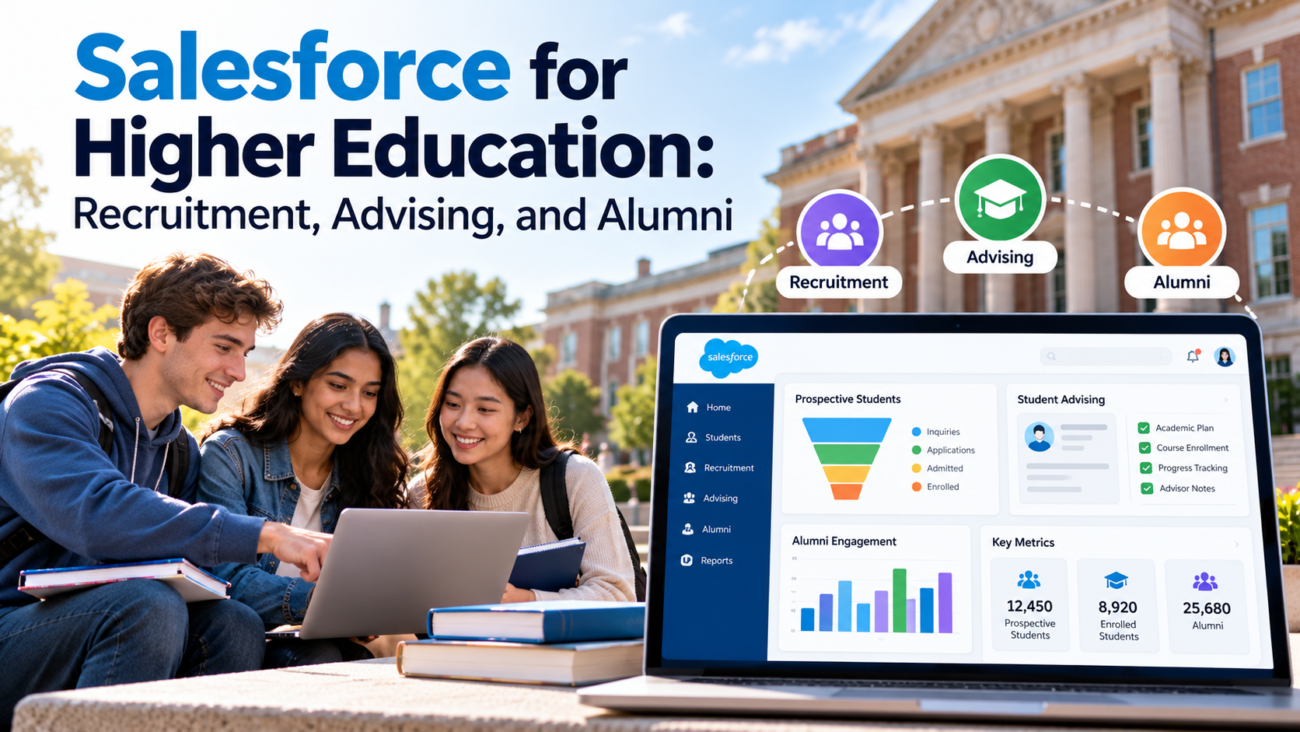
A student can contact a college 6 months before applying, meet an advisor every semester, and return as a volunteer years after graduating. Many institutions still manage those relationships in separate systems. That makes ordinary questions hard to answer. Has an applicant already spoken to a counselor? Did someone respond to a student who missed registration? Does an alumnus want career events or fundraising messages? For support with this, see HyphenX’s Salesforce support services.
Salesforce for higher education gives institutions a way to manage those interactions around a shared person record. It can support recruitment, admissions, student services, and alumni relations, while connecting to systems that hold official academic or financial records.
TL;DR
Salesforce for higher education can connect the work of enrollment teams, academic advisors, and alumni offices through shared records and defined service processes. Recruitment teams can follow inquiries through enrollment. Advisors can assign support tasks and record follow-up. Alumni staff can track interests and participation after graduation. Salesforce Education Cloud supplies education-specific applications, but institutions still need clear data ownership, integrations, access controls, and staff training. A realistic rollout starts with one measurable process and expands after the people using it can trust the information.
What Salesforce for Higher Education Actually Covers
A university’s relationship with a person changes over time. Someone may start as an event attendee, apply to several programs, enroll, leave for a term, graduate, and later mentor a student. The institution needs a reliable way to recognize that person without treating every department’s record as a separate identity.
Salesforce now uses the name Agentforce Education for what many institutions still call Education Cloud. Its current product documentation describes connected functions for recruitment, academic operations, student success, and alumni engagement. The naming matters when comparing an older campus installation with a new proposal because licenses, data objects, and available features may differ.
The platform can store contacts and relationships, send work to assigned staff, record interactions, and display reports based on data the institution is allowed to use. Specific capabilities depend on the products purchased and configured. The platform should therefore be evaluated as a set of campus workflows rather than a promise that installing 1 product will repair fragmented operations.
Consider an applicant who joins a virtual information session. The recruitment team records interest in nursing, an intended start term, and permission to receive updates. If the applicant later enrolls, the admissions history may help the institution recognize earlier questions. An advisor, though, should see only the data needed for their duties. An alumni officer shouldn’t gain access to private advising notes because the same person eventually graduates.
That boundary explains the role of a higher education CRM. It connects useful interactions while allowing the institution to keep authoritative grades, tuition balances, and other restricted records in systems suited to those duties.
Understand Education Cloud, EDA, and Student Information Systems
Campus technology teams often use the words Salesforce, Education Cloud, and EDA as if they mean the same setup. They don’t. Education Data Architecture, or EDA, underpins many older Salesforce education implementations. The current Salesforce Education Cloud uses a separate education data foundation built on the core platform. A migration or expansion plan must identify which model the institution uses before teams start building fields and integrations.
Salesforce for higher education also covers different jobs from a student information system, commonly called an SIS. An SIS usually serves as the official source for enrollment, course registration, grades, and academic history. A CRM typically manages contacts, communications, support work, and service processes. Salesforce is adding SIS-related functions to its education offering, but institutions should verify which functions are generally available and licensed before considering any replacement of an existing system.
The Education Cloud overview lists modules for recruitment and admissions, student success, academic operations, student financials, and advancement. Availability and product terms can change across releases.
| System Or Layer | Primary Campus Responsibility | Important Design Choice |
| Student information system | Official enrollment and academic transactions | Which records remain authoritative |
| Learning management system | Courses, learning activities, and assignment context | What signals may be shared with advisors |
| Higher education CRM | Relationship history, communications, and staff workflows | Which teams may view or edit each field |
| Advancement systems | Giving records and constituent activity | How donors and graduates match to existing people |
Institutions with an EDA-based installation may also have Admissions Connect or Student Success Hub. Those products have their own data assumptions. The work is easier to plan when the IT team inventories existing packages, custom code, and interfaces before making an architecture decision.
Plan Student Recruitment Around Real Decisions
Student recruitment begins before a formal application. A person might download a program guide, register for an open house, ask about transfer credit, or meet a counselor at a school visit. Salesforce student recruitment teams need to know which interactions matter and which questions remain unanswered. Salesforce student recruitment workflows can bring those events into an assigned follow-up process.
Start with clear stages. For example, an institution might distinguish inquiry, engaged prospect, started application, submitted application, admitted applicant, and enrolled student. Each stage needs an entry rule so reports don’t count people differently from one office to another.
Recruitment planning must account for changing enrollment patterns. The National Student Clearinghouse reported that overall U.S. postsecondary enrollment rose 1.0% in fall 2025, while changes differed by institution type. That doesn’t predict any individual college’s next class. It shows why teams should examine their own program and audience trends before copying last year’s outreach plan.
A good Salesforce student recruitment process records how someone entered the funnel, their stated interests, the last useful conversation, and the next agreed action. Rules should prevent an applicant from receiving repeated outreach from different teams about the same task.
Campaign attribution needs restraint. Someone may see a social post, attend a fair, and later search for the application page. Assigning all credit to the final form submission gives a narrow picture. The CRM can store multiple interactions, but the institution must define which events are meaningful and avoid treating every email open as proof of interest.
Recruitment works best when staff can see the history they need and stop sending messages that no longer fit. Once a prospect applies or opts out, the next communication should follow that person’s current status and preferences.
Move Applicants Through Admissions Without Losing Context
Admissions work involves several types of review. Staff may check required documents, confirm program eligibility, route files to faculty, and inform applicants about decisions. Each program may have different deadlines and requirements. Putting all applicants in 1 generic queue can hide those differences, while building entirely separate processes for every department makes reporting hard.
The Salesforce Recruitment & Admissions app supports tasks, appointments, information requests, application work, and role-based consoles. The workflow must reflect its decision rights. A reviewer should receive the right file and rubric, while the admissions office retains a traceable record of who made each decision.
Design the Application Experience First
Applicants should know what they’ve submitted, what’s missing, and what happens next. A portal can reduce routine status calls when its information is current. Salesforce student recruitment can feed that portal with prospect and program data, but secure identity checks and accessible form design remain the institution’s responsibility. Applicants may also need an option to request human help when an online step fails.
The recruitment guidance describes online requests, document uploads, applications, and appointment scheduling. Colleges should confirm how each feature fits their existing application provider, transcript handling, and accessibility requirements.
Application stage timestamps can reveal where work stalls. A large delay between a complete file and first review may suggest a staffing or routing problem. A high number of incomplete applications may point to confusing instructions rather than low interest.
Admissions rules also need exceptions. International applicants, returning students, and program changes may follow different paths. The system should preserve those distinctions without creating duplicate person records every time someone applies again. The admissions team must own decisions about eligibility and admission; automation can route work and communicate status, but it shouldn’t quietly replace authorized review.
Manage the Handoff From Enrollment to Campus Services
The moment an admitted applicant enrolls is a common handoff problem. Recruitment teams may mark their work complete while orientation, advising, financial aid, and registration offices are only beginning. If each group imports its own copy of the student, campus staff can lose earlier context or send conflicting instructions.
The platform can link enrollment milestones to service tasks, but the institution needs an agreed definition of enrollment. A deposit, accepted offer, registered course, and official census status are different events. The SIS should remain the authority for whichever milestone it owns. The CRM can display that milestone after a verified exchange of data.
Define which office handles each transition. For instance, registration status could trigger an orientation task. An assigned advisor might receive a notification after the student’s program is confirmed.
The older idea that every system must show a complete student profile can cause unnecessary data sharing. A new advisor may need declared major, term, approved accommodations workflow, and relevant referral status. They usually don’t need every marketing campaign response collected before application. The CRM should present a role-specific view rather than an unrestricted history.
Summer melt, when an admitted student does not arrive for enrollment, deserves a distinct workflow. Teams can identify outstanding enrollment tasks and follow up through approved channels. Measure how often contact produces a resolved issue, not merely how many reminders were delivered. Salesforce student recruitment records can support these transitions when the admissions and student services teams agree on the underlying status definitions.
Make Academic Advising a Managed Service Process
Advising is a sustained relationship, so an appointment calendar alone can’t show whether support worked. An advisor may help a student choose courses, interpret an academic warning, arrange a referral, or plan a return after a leave. The record needs to capture an agreed next step and who will complete it. Salesforce student success tools can support that work through advising cases, tasks, appointments, and support teams.
Salesforce’s Student Success app includes features for advisor assignments, alerts, care plans, and follow-up tasks. Institutions must configure permissions, workflows, and data sources for their setting. A feature list alone doesn’t tell a campus whether staff will use the process consistently during a busy registration week.
Build Advising Records Around Outcomes
An advising note should be useful to the next authorized staff member without turning the CRM into an open personal diary. Record the student’s stated goal, advice given, agreed action, responsible person, and follow-up date. Separate general advising notes from sensitive records that require additional restrictions.
An advisor also needs accurate degree information. If the CRM displays course progress from an SIS feed, show the last update time and avoid treating a delayed sync as an official academic decision. The registrar still determines which enrollment or grade record is authoritative. The CRM helps staff coordinate work around those facts.
Experience with campuswide advising platforms shows that process ownership matters. An EDUCAUSE account of Northern Arizona University’s CRM implementation describes work across IT and student-facing departments. Its lesson is practical: institutions need agreement on why information will be shared and how staff will use it, not merely agreement to purchase software.
The platform can support continuity when a student switches advisors or programs. That continuity should be judged by whether students receive a clear response and whether staff can close the loop on promised help. An advising record that only increases data entry gives neither group much value.
Design Early Alerts That Lead to Real Support
Early-alert systems can flag missed classes, unregistered students, or other signals that warrant a conversation. They can also overwhelm advisors if alerts lack context or arrive faster than teams can respond. Salesforce student success should be designed around the response capacity and duties of the people receiving those alerts.
Begin with a defined situation and an agreed action. An alert about missing registration might go to an academic advisor. A financial hold may require a student accounts team member. A student who requests help should receive a clear response channel. Alert ownership must be settled before the system starts sending notifications.
Related reading: Experience Cloud Aura vs LWR Templates: Which to Build On in 2026
The Student Success guidance describes alerts, support programs, appointments, and student-facing tasks. These functions can help staff assign work, but the threshold for an alert is an institutional decision. A course grade, for example, shouldn’t trigger a sensitive intervention unless the institution has decided why that signal is relevant and how it will be used.
For Salesforce student success, a useful alert record carries a reason, a date, a responsible team, an action status, and a resolution. It should also permit staff to mark an alert inaccurate or no longer relevant. Students need a way to explain circumstances that a data field cannot capture. Human judgment matters because a missed activity can have many causes.
Measure response time and completed assistance alongside alert volume. A rising number of alerts may mean the data feed changed, the threshold was loosened, or students need more support. For Salesforce student success, the meaningful question is whether support reaches students in time and results in an appropriate next step.
Keep Alumni Relationships Useful After Graduation
Graduation changes the purpose of the relationship. A current student may need course planning and academic support. A graduate may want career networking, mentoring opportunities, events, or updates about a former department. Alumni teams need to preserve appropriate history without retaining unrestricted access to sensitive student records.
The platform can connect a graduate to past programs and known affiliations through an alumni record. Salesforce’s Alumni Relations app supports engagement information, alumni activities, and related staff work. Salesforce Education Cloud users should decide which academic details remain relevant after graduation and how preference changes will reach their communication systems.
A graduate may have several institutional roles. Someone can earn 2 degrees, work for the university, volunteer as a mentor, and donate to a scholarship fund. The higher education CRM should preserve these relationships without merging unrelated financial or personnel data into a view for every alumni employee. Matching people accurately matters more than putting every relationship on 1 page.
Recognize Participation Beyond Donations
Alumni can stay involved without donating. The Council for Advancement and Support of Education describes 4 engagement modes: communication, experiences, volunteering, and philanthropy. These categories help institutions recognize participation that a gifts-only dashboard misses. They also prevent teams from labeling every email delivered as meaningful alumni involvement.
Salesforce alumni engagement tracking is useful when event attendance, volunteering, mentoring, and giving each have a clear definition. Count actual attendance rather than registration. A mentor match should show whether the mentoring activity actually began.
Contact preferences should be easy to change, including for alumni who no longer want fundraising appeals. A sound Salesforce alumni engagement program uses known interests to make fewer, more relevant requests. It also acknowledges that graduates may connect with the institution in ways that don’t produce an immediate donation.
Connect Alumni Engagement With Advancement Work
Advancement teams need a reliable view of pledges, gifts, campaign interests, and stewardship responsibilities. But alumni relations and fundraising staff don’t always measure success in the same way. A volunteer event may support relationships without producing a gift. A scholarship pledge may come from a parent or foundation that has no alumni record at all.
Salesforce alumni engagement data can help gift officers understand a person’s documented interests before a meeting. The fundraising process still requires financial controls, gift restrictions, receipts, and approved access. A CRM interaction should not become the official accounting entry unless the institution has designed and tested that process with its finance office.
The fundraising context is significant. According to CASE’s 2025 giving findings, charitable support to U.S. colleges and universities reached an estimated $78.8 billion for fiscal 2025, based on survey reports and estimates for institutions that did not respond. That total is a sector measure, not a forecast for any single university. It also says nothing by itself about whether a CRM implementation will increase donations.
A college should decide how gift officers record a relationship manager, a planned conversation, an active proposal, and a completed stewardship action. Sensitive prospect research needs tighter permissions than general event attendance. Salesforce alumni engagement reports can then distinguish people contacted from people who responded, volunteered, attended, or made gifts.
The longer view matters. Others prefer academic updates or networking programs. Connecting their participation to an accurate constituent record lets the institution respect those preferences while tracking advancement results. The platform should support those decisions with clear consent and data definitions, not an assumption that every alumni interaction is a fundraising opportunity.
Build Integrations and Data Ownership Before Dashboards
The hardest technical question is often simple: when 2 campus systems disagree, which one wins? A higher education CRM needs explicit rules for official records, including student identifiers, programs, academic standing, contact details, and gift transactions. Without them, integration may spread an error faster instead of resolving it.
Start with a source-of-truth matrix. The registrar may own enrolled status and grades. Admissions may own application decisions. Alumni relations may own engagement preferences, while advancement finance owns posted gifts. The CRM can display or act on selected data without becoming the authoritative database for every field.
The Edu-API initiative from 1EdTech addresses standardized exchange between higher education administrative and learning systems. Its status and adoption should be checked before procurement; it isn’t proof that 2 products already have a working connector. The underlying point is sound: common identifiers and agreed interfaces reduce avoidable mapping problems.
Handle Identity Changes Carefully
People change names, email addresses, majors, and roles. Record matching should consider institutional identifiers and verified relationships rather than relying on an email address alone. Establish a process for reviewing uncertain matches and undoing a wrong merge.
Plan data movement in both directions. An advisor may create a case in Salesforce, while the SIS sends updated registration status. Each interface needs a schedule, error log, responsible owner, and recovery process. Decide how staff will know that a source is delayed or unavailable. Silent synchronization failures are especially risky when an office makes a time-sensitive decision.
Salesforce Education Cloud is a platform layer within a wider campus architecture. Historical data migration should be scoped by retention rules, business need, and source quality. Loading every old record usually creates more cleanup work. Salesforce for higher education becomes easier to maintain when the institution moves only data it can define, protect, and keep current.
Protect Student Privacy and Set Limits on AI
Education records require role-based treatment because one person can interact with many campus offices. FERPA generally limits disclosure of personally identifiable information from education records without consent, subject to specific exceptions. School officials accessing records under the school-official exception must have legitimate educational interests and meet the applicable conditions.
The U.S. Department of Education says institutions must use reasonable access methods so staff see education records only when their duties justify access. That principle matters whenever a higher education CRM places recruitment history near advising information. Sharing a technical platform does not create blanket permission for every employee to see every record.
Apply access restrictions at the object, record, and field levels as appropriate. An admissions counselor may need application status but no private advising case notes. A fundraising employee may need alumni contact preferences and giving history without academic support records. Review account permissions when staff change roles, and test access using real staff profiles before launch.
AI features add further questions. Salesforce student success users may encounter summaries or suggestions based on permitted data. Institutions should decide what information can enter a model, which outputs staff may rely on, and how incorrect statements will be corrected. A generated advising summary is not an official academic record or an independent judgment about a student’s needs.
Consent, communications law, data retention, and vendor contracts also matter. Schools should review the rules that apply to recruitment email, alumni messaging, and disclosures to service providers. Keep audit records for sensitive actions, and give staff a route to report a wrong record or unexpected disclosure. Salesforce for higher education should make access decisions clearer, not hide them inside a complex configuration.
Measure Recruitment, Advising, and Alumni Outcomes Separately
A campus dashboard is useful only when the measure has a stable definition. Recruitment may focus on qualified inquiries and enrollment conversion. Advising may track response times, resolved requests, and students receiving agreed support. Alumni relations may count verified participation across several activities. Combining all of these into 1 score conceals the work each team does.
EDUCAUSE’s 2025 analytics report discusses the growing importance and complexity of institutional data and analytics. For a higher education CRM, the practical lesson is to write down metric definitions and data limits before leaders use dashboards to allocate resources. A polished chart cannot repair an unclear denominator.
| Area | Useful Metric | What To Check Before Trusting It |
| Recruitment | Inquiry-to-application conversion | Duplicates, stage rules, entry term |
| Admissions | Time from completed file to decision | Definition of complete, program differences |
| Advising | Cases resolved with recorded follow-up | Case quality, reopenings, staff capacity |
| Early alerts | Time from valid alert to response | False positives, ownership, data delay |
| Alumni relations | Alumni with verified engagement | Contactability, event attendance, reporting period |
A Salesforce student recruitment dashboard may show that one campaign produced many inquiries. That result matters less if most inquiries were for programs that aren’t accepting students. A Salesforce student success dashboard may show more closed cases, yet staff may be closing them without completing follow-up.
Track trends within comparable groups. A part-time transfer student and a first-time full-time student may encounter different enrollment barriers. Alumni engagement can also vary by years since graduation. Distinctions should help teams provide appropriate services, while avoiding unsupported conclusions about individuals. Salesforce alumni engagement measures need the same care with denominators and verified events.
Finally, establish a review schedule. Department leaders should discuss what changed, how reliable the data is, and what action follows. Salesforce for higher education becomes more useful when dashboards support specific decisions instead of becoming a monthly reporting exercise with no owner.
Plan Implementation, Budget, and Staff Adoption
A successful rollout begins with an accountable campus owner and a narrow first release. It may be tempting to deploy recruitment, advising, and alumni relations together because the same platform supports all 3. Each has different data sources and approvals. Phasing makes errors easier to catch.
Choose a first process with a clear baseline. Admissions might focus on managing incomplete applications, advising on closing referred cases, or alumni relations on recording verified volunteer participation. Define who uses the process, which systems exchange data, what the work looks like today, and how the institution will judge improvement. That provides a stronger business case than a general plan to modernize campus operations.
Budget planning needs more than a per-user license estimate. Include the selected Salesforce products, implementation work, system integrations, identity management, data cleanup, security reviews, accessible portal design, staff training, and continuing administration. Prices depend on contract terms and the features purchased; a generic online figure can’t establish an institution’s full cost. Reserve capacity for releases and changing enrollment requirements.
A practical rollout can follow these stages:
1. Define the process. Confirm the users, student or alumni need, authoritative data, and measure of success.
2. Map information. Remove duplicate records, set field ownership, and document access rules.
3. Build and test. Check routine work alongside failed integrations, exceptions, and permissions.
4. Pilot with staff. Observe real tasks and revise screens or steps that cause confusion.
5. Review performance. Compare records with the baseline before expanding to another office.
Salesforce Education Cloud implementations also need day-to-day ownership. Assign responsibility for permissions, report definitions, new fields, integrations, and release testing. Without that work, a higher education CRM can gradually become a second set of spreadsheets, with important records again living outside the shared process.
Train staff on the decisions they need to make rather than every menu in the platform. A counselor should be able to follow an inquiry, an advisor should know how to close a referral, and an alumni officer should understand how preferences affect outreach. Salesforce for higher education will be judged by whether these people can complete their work accurately during a normal term, not by the number of configured features.
What Institutions Should Decide Before Expanding
The strongest Salesforce for higher education plans begin with the student or graduate experience the college can actually improve. Recruitment teams need trustworthy inquiry stages. Advisors need enough context to respond and a reliable way to record follow-up. Alumni teams need current relationships and a respectful approach to participation. Each job deserves its own definition of success.
The platform can connect those processes when people records, permissions, and integration rules have been designed together. It can also create new problems when teams copy old data into a shared system without deciding who owns it. Campus leaders should expect to invest in governance and staff practice alongside software.
A sensible expansion decision rests on evidence from the first release: cleaner handoffs, better response records, fewer duplicate contacts, or higher verified participation. Those measures won’t all improve immediately, and a technology change alone cannot guarantee student retention or donations. The institution should use observed results to decide which service process deserves attention next.
Frequently Asked Questions
What Is Salesforce for Higher Education?
Salesforce for higher education refers to using Salesforce products and education-specific applications for campus relationships and processes. Colleges may use it for recruitment, admissions, advising, or alumni engagement. Its functions depend on licensing and connected systems.
Is Salesforce Education Cloud the Same as EDA?
No. Salesforce Education Cloud uses a newer education data foundation, while Education Data Architecture supports many older installations. A school moving between them needs to review its data model, custom work, and integrations. Migration isn’t automatic just because both products use Salesforce.
Related reading: Service Cloud Voice vs Third-Party CTI: Which Telephony Path Fits
Can Salesforce Replace a College’s Student Information System?
Salesforce has been adding SIS-related functions, but replacement depends on current product availability and the college’s requirements. Many institutions continue to use an SIS as the official source for grades and registration while Salesforce manages communications and services. Each major function should be checked separately.
How Does Salesforce Help Recruit Students?
Salesforce student recruitment processes can record inquiries, interests, event activity, counselor assignments, and application stages. Staff can use those records to respond to specific needs and avoid repeated messages.
Can Applicants Submit Documents Through Salesforce?
Education Cloud supports applicant-facing processes that can include online applications and document uploads. The precise setup depends on the licensed product and how the college handles documents. Teams should test access, accessibility, retention, and connections to existing admissions systems.
How Does Salesforce Support Academic Advising?
Salesforce student success features can help advisors schedule appointments, assign support work, record relevant cases, and track follow-up. Colleges decide what data advisors may view and which processes belong in specialist systems. An advisor still makes the academic or support decision.
Can Salesforce Identify Students at Risk?
Salesforce for higher education can present alerts based on institutional rules and data. Those alerts need human review because a signal doesn’t explain every student’s circumstances. Staff should check accuracy, permissions, and whether someone can respond meaningfully before expanding alert programs.
Does Salesforce Track Student Retention Automatically?
Retention reporting requires an agreed definition and reliable enrollment data from an authoritative source. Salesforce can display related measures when connected and configured correctly.
Can Alumni Use a Salesforce Portal?
Education Cloud supports alumni-oriented experiences that can include profile information and community functions, depending on configuration and licensing. Institutions must protect access and keep preferences current. A portal is useful only when alumni can complete tasks they actually value.
Can Salesforce Manage Alumni Giving?
Salesforce offers fundraising and advancement functions for relevant education setups. Institutions should confirm the capabilities and licenses they need, then define how gifts reach official financial records. Donation workflows also require suitable privacy controls and stewardship processes.
How Should Colleges Measure Alumni Engagement?
Measures can include verified attendance, volunteering, communications participation, and giving. Each measure needs a clear definition and reporting period. Counting delivered emails as meaningful engagement can overstate the relationship, so institutions should distinguish contact from participation.
Does Using Salesforce Make a College FERPA Compliant?
No product creates compliance on its own. A college must decide which disclosures are permitted, restrict access to appropriate records, and manage vendor obligations. Configured permissions and staff practices must match its FERPA duties and applicable policies.
What Systems Commonly Connect With Salesforce?
Common connections can include the student information system, learning management system, identity provider, admissions application tools, and advancement finance systems. The institution must decide which system owns each field and how synchronization failures are handled. Connector availability varies.
What Does Salesforce for Higher Education Cost?
Costs depend on the Salesforce products purchased, users, implementation scope, integrations, and ongoing administration. A campuswide project also needs staff time for data cleanup and training.
What Should a University Implement First?
Salesforce for higher education should start with a process that has an owner and a measurable result. An application follow-up workflow or an advising referral process may be suitable. Confirm that staff can use it well before expanding across departments.

One thought on “Salesforce for Higher Education: Recruitment, Advising, and Alumni”